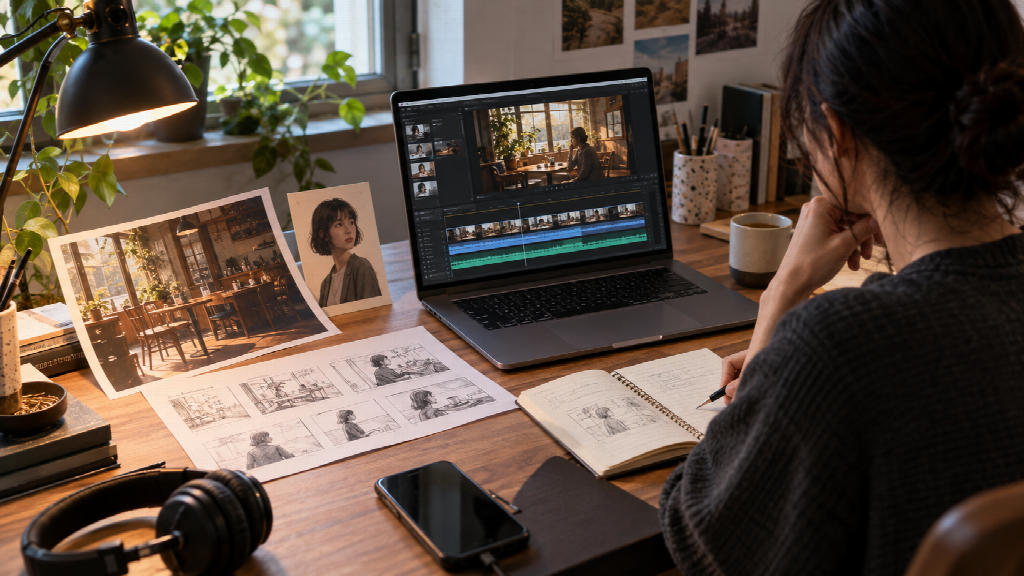
Video generation can feel effortless right up to the moment you try to refine a result. The subject is there, the lighting works, and the clip has a mood. Then one small detail gets in the way: a prop changes between shots, the camera rushes past the important action, or the sound lands before the image is ready. That second pass is where an idea starts to take a more deliberate shape.
Seedance 2.5 enters that part of the creative process with a combination of longer generation, multimodal references, and targeted editing. ByteDance Seed describes Seedance 2.5 as a joint audio-video generation model built for 30-second storytelling, reference control, and editing.

That framing is useful because a creative brief often starts with several things already decided: the person or product on screen, the location, a movement reference, and the feeling the finished scene should leave behind. Seedance 2.5 gives those materials a place in the generation process.
A 30-second clip has room to develop
Seedance 2.5 can generate a video of up to 30 seconds in one pass, with the option to extend a result through multiple rounds. The extra time gives a scene room for a beginning, a change, and a clear final image.
Think of a short film for a new coffee brand. It could open on a quiet street, follow someone into a café, pause as a barista pours a drink, and end with the cup beside a rain-lit window. The product remains part of the scene while the viewer gets a sense of the place around it. A character piece could use the same room for a different purpose: someone arrives, notices a familiar face, and reacts before leaving.
Seed’s release notes describe the model as capable of arranging connected shots within a 30-second generation and supporting multiple extensions. Duration alone does not determine whether a story works. The creator still needs to decide what each beat contributes and how one moment leads into the next. More time simply gives those decisions room to appear on screen.

References can make the brief more concrete
A video idea may depend on several kinds of information. A product photograph can establish the package. A character image can guide appearance. A short video can suggest movement, and an audio clip can set the pace or atmosphere.
According to ByteDance Seed’s release information, a single generation can use up to 30 images, 10 video clips, and 10 audio clips as references. That range can be useful when a scene depends on details across more than one source. For a café product film, one image might define the cup, another the interior, and a movement reference could show how a hand places the cup on the table. A sound reference might help convey the room’s energy.
The key is to give every reference a clear role. When an image defines the packaging, the prompt can focus on how the camera approaches it. When a clip demonstrates movement, the written direction can describe what the character is doing before and after that motion. This makes a brief easier to follow and gives each material a reason to be there.
A white model can map the hard parts first
Some scenes are difficult to explain with finished reference images. The challenge may be where the character stands, how the camera crosses the room, or which part of the set should stay in view during a turn.
Seedance 2.5 includes white-model reference support. A creator can use a simple, untextured 3D scene to lay out space, subject position, movement paths, and camera placement. The model can then use that structure as a guide while generating the more finished visual.
This approach is relevant for a moving camera, a subject passing through several spaces, or a product shot where the path of motion matters. A rough spatial plan can make the intended blocking easier to communicate before visual detail enters the picture. It also gives a team something specific to discuss: the route, the framing, and the moment the camera should reveal.
Edits can be aimed at a specific moment
A first draft may be close to the intended scene while one section needs attention. Perhaps a gesture arrives too early, the camera angle needs to change, or the background should be replaced while the subject remains in place.
ByteDance Seed’s release notes describe timestamp-based control and targeted editing, including green-screen, viewpoint, and reference editing. Timestamp cues can identify where a change belongs in the clip. The other editing options address different needs, such as changing a setting, adjusting a view, or bringing a reference into a specific part of the result.
This can make feedback more concrete. A team can point to a moment in the video and explain the adjustment there, then review the new version against that request. A defined edit also helps keep the next attempt focused on one visible issue.
Sound helps organize the scene
Audio affects how viewers read an action. Footsteps can make an approach feel close. Room tone can establish a location. Music entering at the right moment can make a quiet gesture feel consequential.
Seedance 2.5 continues the unified audio-video generation architecture introduced with Seedance 2.0, and audio can also be part of the reference set. That lets creators consider sound while they plan the scene: when an ambient layer should begin, whether a movement needs a sound cue, and how the audio should change as the camera moves.
For a brand spot, a character scene, or a short piece built around atmosphere, those choices shape the pace alongside the images. Planning sound with the action gives the brief a more complete sense of what the audience will experience.
Where Seedance 2.5 may fit
Brand and advertising teams can use the model to explore how a short concept might unfold across several shots. A product team can test an introduction, a use moment, and a closing image. A creator developing character content can combine appearance references with movement and sound cues. Educators or designers can use a moving scene to make a visual idea easier to discuss.
These examples share a practical need: several creative decisions have to work together in a short video. The model’s longer generation, reference inputs, and editing options speak to that kind of task. The published features describe the design; creators can judge the results against their own material and priorities.
Start with one clear revision goal
A first test can stay small. Choose one subject, one visible change, and one ending. Add only the references that help explain those choices. After generation, decide what matters most to adjust: the timing of an action, the camera’s path, a character detail, or the final frame.
If you already have a product image or character reference and want to see how it could move, the image to video page is a straightforward place to try that first idea. Keep the test focused enough that you can tell what worked and what you would change next.
Seedance 2.5 is easiest to understand through that kind of small, specific experiment. Its longer scenes, reference support, and editing controls give creators more ways to shape the space between an initial idea and a video they are ready to review.