AI writing tools have made it easier to prepare blog posts, website copy, product descriptions, and business documents.
A first draft that once took hours can now be produced in minutes. However, getting words onto a page is only one part of the process.

The finished content still needs to read clearly, communicate the intended message, and meet basic standards of originality.
This is where AI content editing tools can help. Some focus on improving the natural flow of sentences, while others concentrate on rephrasing existing text.
Although these tools may appear similar at first, they serve different purposes. Understanding those differences makes it easier to choose the right tool for a particular writing task.
What to Look for in an AI Content Editing Tool
The best editing tool depends on what needs fixing. A draft with awkward sentences requires a different approach from a paragraph that needs shortening or rewriting.
Ease of use is a sensible starting point. A straightforward interface allows writers to focus on the text rather than spend time learning complicated settings.
Output quality matters just as much. A tool should preserve the intended meaning instead of replacing clear language with unnecessary synonyms.
Writers should also consider readability, language support, editing options, and the amount of manual work required afterward.
No automated tool can reliably make every decision for its user. The real value lies in whether it solves a specific problem without creating several new ones.
AI Humanizers: Improving Natural Flow and Readability
AI-generated writing can sometimes feel repetitive or overly formal. Sentences may follow similar patterns, transitions can sound predictable, and paragraphs may contain more words than the message requires. These problems are not exclusive to AI, but they are common reasons writers look for additional editing support.
An AI humanizer is designed to revise text so that its wording and sentence flow feel more natural. Depending on the tool, it may adjust sentence structures, vary phrasing, and simplify expressions that sound stiff. The aim is to improve the reading experience while retaining the original point.
For example, a business article might contain several sentences that begin with the same phrase or explain familiar ideas in unnecessarily complicated language. A humanizer can provide an alternative version that gives the writer a useful starting point for revision.
An AI Humanizer can be particularly useful when editing AI-assisted blog drafts, marketing copy, informational articles, or general website content. Writers can review the revised version, compare it with the original, and decide which changes genuinely improve the text.
However, natural-sounding language is not the same as accurate writing. A revised sentence may sound smoother while losing an important qualification or changing the original meaning. The output should therefore be checked before publication, especially when an article includes technical details, statistics, or advice.
Plagiarism Removers: Revising Existing Text
A plagiarism remover addresses a different editing need. It focuses on rephrasing text, changing sentence structures, or replacing wording while attempting to preserve the intended message. This can be useful when a passage needs to be expressed more clearly or when a writer wants to develop an alternative version of an existing draft.
A Plagiarism Remover may offer different rewriting approaches, such as changing individual words, restructuring sentences, adjusting the tone, or shortening a passage. These options can help writers revise material without having to rewrite every sentence manually.
Consider a long paragraph that repeats the same idea several times. A rewriting tool may help produce a more concise version. The writer can then review the result, remove unnecessary details, and make sure the revised paragraph fits the surrounding article.
There is an important distinction, though: rewriting text does not automatically make it original. Changing words while retaining another author’s ideas without proper acknowledgment can still create plagiarism concerns. Similarly, a rewritten passage may continue to resemble existing material.
For academic, research-based, or source-heavy writing, users should verify relevant claims, retain citations, and check the final document with an appropriate plagiarism detection tool when necessary. Rewriting software can support editing, but it cannot replace responsible use of sources.
AI Humanizer vs. Plagiarism Remover: Key Differences
Although both tools can change wording, their main objectives differ.
An AI humanizer is generally used to improve how a passage reads. It may be appropriate when a draft feels repetitive, mechanical, or unnecessarily formal. A plagiarism remover, by contrast, focuses more directly on rephrasing existing text and creating an alternative version.
The distinction becomes clearer in everyday situations. A marketer preparing a blog post might use an AI humanizer to improve the flow of an AI-assisted draft. A writer revising a lengthy explanation might use a plagiarism remover to explore different ways of expressing the same idea.
Neither tool is automatically the better option. The decision depends on the task, the quality of the original text, and the level of revision required.
Writers should also be cautious about claims that any tool guarantees completely original content or a particular AI detection result. Automated systems have limitations, and their results can vary. Careful editing and appropriate checks remain important regardless of the software used.
Comparing Five AI Content Editing Tools
AI content editing tools differ in their approach to rewriting, improving readability, and correcting text. Comparing their main features helps writers decide which option fits their workflow.
1. AI Humanizer

An AI Humanizer focuses on improving the flow and readability of AI-assisted text. It can be useful when a draft sounds repetitive, overly formal, or unnatural. Writers should still review the revised version to ensure that the original meaning and important details remain intact.
2. Plagiarism Remover
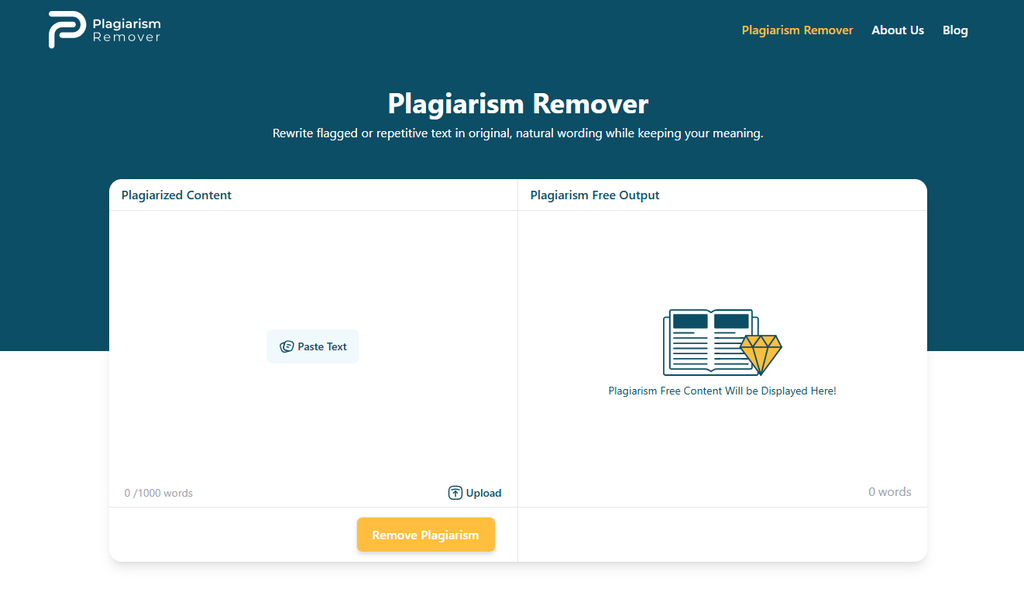
A Plagiarism Remover helps users rephrase sentences and restructure existing text. It can support the revision process when wording needs improvement, but changing a passage does not automatically make it original. Proper citations and plagiarism checks remain important when working with material from external sources.
3. QuillBot

QuillBot is a writing tool known for paraphrasing and grammar-related features. Its paraphraser offers different modes for adjusting wording and writing style, making it useful for users who want to explore alternative ways of expressing an idea. However, the results still require review, particularly when precision and proper source attribution matter.
4. Grammarly

Grammarly combines grammar correction with writing suggestions and AI-powered rewriting features. It is particularly useful for polishing professional documents, emails, and articles where clarity, tone, and correctness are priorities. Writers looking for specialized rewriting may need to explore its available features and plans to determine whether they meet their needs.
5. Wordtune

Wordtune helps writers rephrase sentences and paragraphs, adjust tone, and make text shorter or longer. These features can be useful when an explanation feels too wordy or a sentence needs a clearer structure. As with other rewriting tools, users should check the suggested changes to ensure that the intended message has not shifted.
Which AI Editing Tool Should You Choose?
The right choice depends on the task rather than the number of features a tool offers. An AI Humanizer may suit writers who want to refine the flow of AI-assisted content, while a Plagiarism Remover may help with rephrasing existing text. QuillBot and Wordtune offer broader rewriting options, whereas Grammarly places considerable emphasis on grammar, clarity, tone, and overall communication.
Before choosing a tool, test it with a representative sample of your own writing. Compare the output for accuracy, readability, ease of use, and the amount of manual editing required afterward. No single tool guarantees flawless writing or plagiarism-free results, so a final human review remains an essential part of the process.
Usability: Choosing the Right Tool for Your Workflow
A useful editing process begins with identifying the actual problem. If the text is understandable but sounds unnatural, improving its flow should be the priority. If a passage needs substantial rephrasing, a rewriting tool may be a more suitable starting point.
Some writers may benefit from using both tools at different stages. An AI-assisted draft could first be reviewed for clarity and structure, then refined for natural expression. If any passages have been adapted from external sources, those sections should also be checked for accurate attribution and originality.
Using more tools does not necessarily produce better content, however. Running the same paragraph through several automated systems can introduce awkward expressions, remove useful context, or alter the author’s intended message. It is often more efficient to make targeted changes and review each result carefully.
Cost, processing limits, supported languages, and available editing modes are also worth considering. Before committing to a tool, users should test it with a short passage similar to the content they normally produce. This offers a more realistic picture of its usefulness than relying on feature descriptions alone.
Limitations of Automated Content Editing
Automated editing can save time, but it is not a substitute for judgment. A tool may misunderstand a technical term, remove an important detail, or replace a precise phrase with something less accurate. Rewriting can also make a paragraph longer without making it clearer.
There are other considerations. AI detectors can produce inconsistent results, and a detector’s assessment should not be treated as definitive proof of who wrote a passage. Likewise, a low similarity score does not necessarily establish that a document is free from plagiarism.
Writers remain responsible for checking facts, reviewing the final wording, respecting source material, and following any relevant workplace or academic rules. These steps matter more than simply obtaining an output that looks polished.
Conclusion:
AI content editing tools are most useful when they address a clear need. An AI humanizer can help refine sentence flow and readability, while a plagiarism remover can assist with rephrasing and restructuring text. Both can make parts of the editing process more manageable, but neither guarantees accuracy, originality, or publication-ready quality.
The sensible approach is to treat automated output as a draft rather than a finished product. Choose the tool that matches the problem, review its changes, and make the final decisions yourself. That balance allows writers to benefit from faster editing without losing control over the quality and meaning of their work.