
Ready Player Me is a comprehensive developer tool that enables the rapid integration of a customizable avatar system into digital…
Vendor-confirmed details
SSHFlow
Every server has its own workspace
In short
SSHFlow is a desktop SSH client that organizes every remote server into its own workspace, combining SSH terminals, SFTP, remote code editing, monitoring, logs, databases, and AI-assisted server tasks.

About SSHFlow
SSHFlow is a desktop SSH client built for developers who regularly work with remote servers.
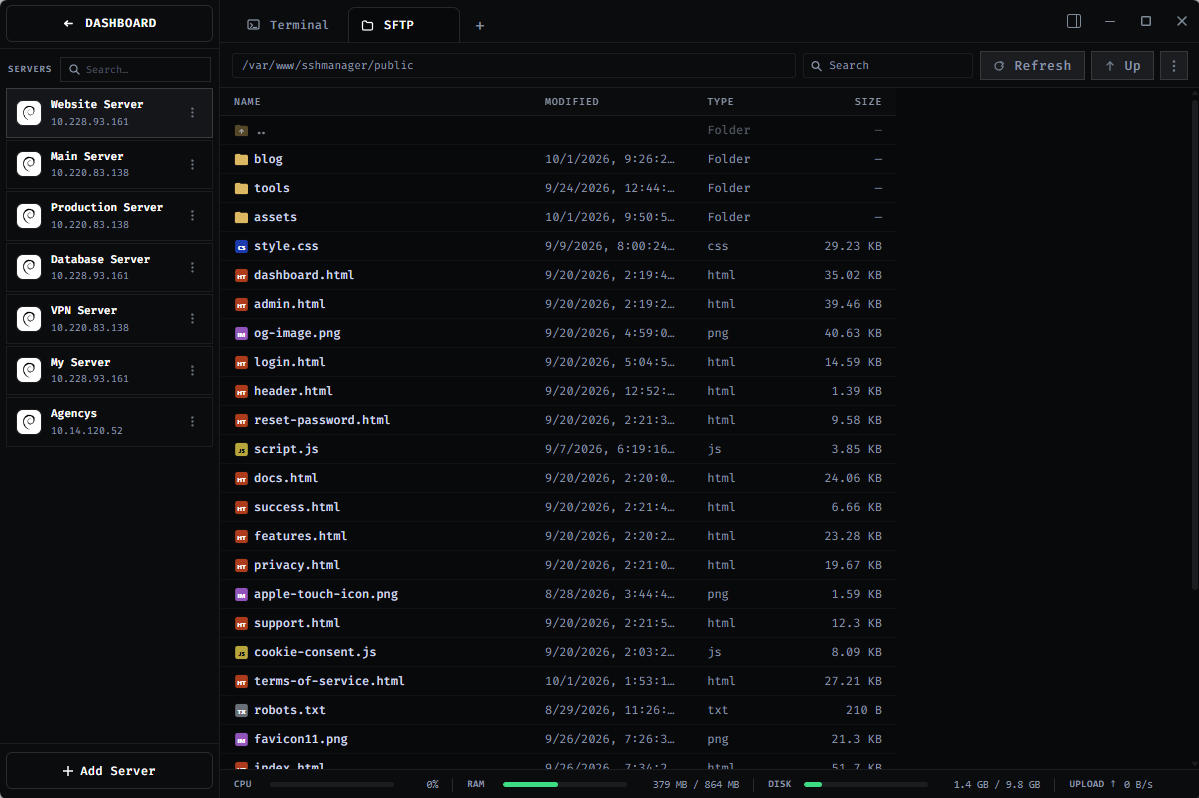
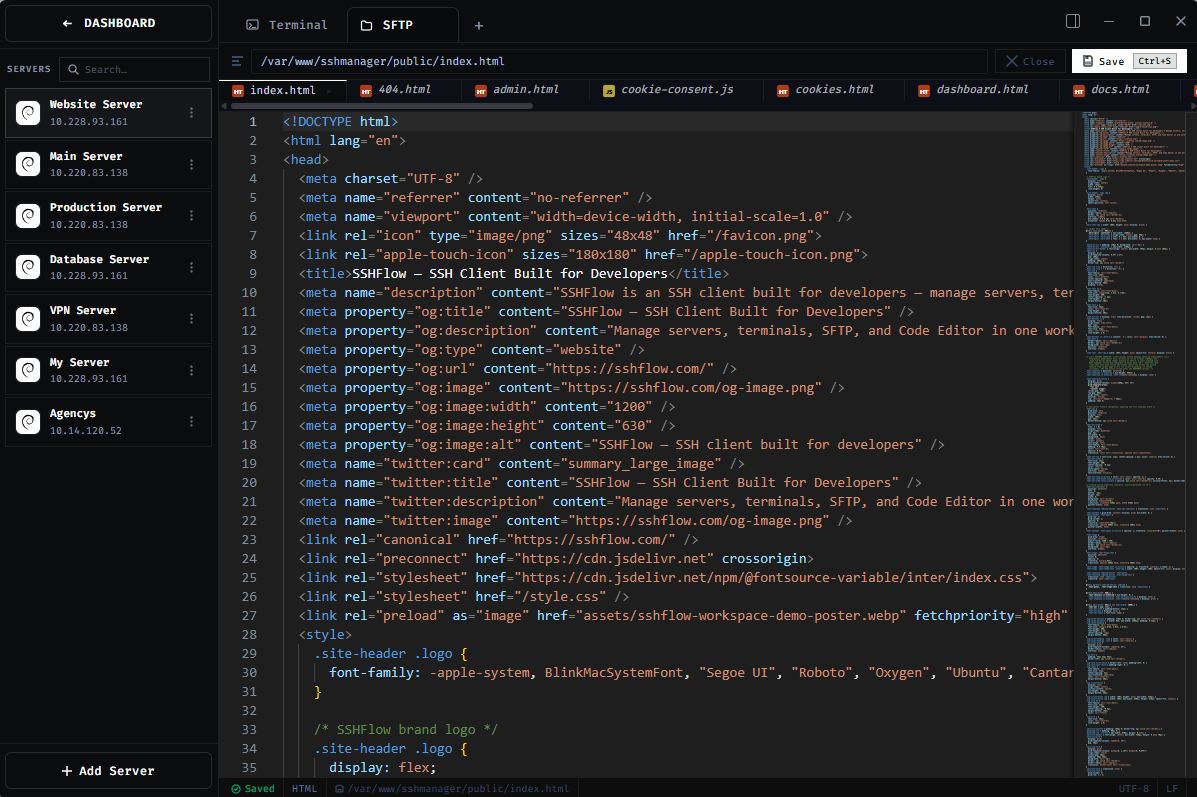
Instead of treating every SSH connection as another terminal tab, SSHFlow gives each server its own dedicated workspace. Within a workspace, developers can open multiple SSH terminals, browse and transfer files using SFTP, edit remote code, monitor server resources, inspect logs, and work with databases without constantly switching between separate applications.
SSHFlow is designed for developers, VPS owners, homelab users, website developers, startup founders, and small teams managing development, staging, and production servers.
SSHFlow also follows a local-first approach to sensitive connection information and SSH credentials.
What problem does it solve?
Managing a remote server often requires developers to switch between separate SSH terminals, SFTP clients, code editors, monitoring dashboards, database tools, and log viewers. SSHFlow combines these workflows into a server-based workspace so developers can manage remote infrastructure from one organized desktop application.
What you can do with it
Connect to servers over SSH, run multiple terminal sessions, transfer and manage files with SFTP, edit remote files, monitor CPU, RAM, disk usage and uptime, inspect server logs, manage databases, and organize development, staging, and production servers.
Key features
- SSH Terminal
- Multiple Terminal Sessions
- SFTP File Manager
- Remote Code Editor
- Server Monitoring
- CPU/RAM/Disk Monitoring
- Uptime Monitoring
- Log Management
- Database Management
- Server Workspaces
- Server Organization
- AI-Assisted Server Tasks
Capabilities
AI featuresYes
API availableNo
WebhooksNo
AutomationYes
White labelNo
Who it’s for
Developers and small technical teams that regularly connect to and manage remote Linux servers, VPS instances, development environments, and production servers.
Recommended for: Developers, VPS owners, homelab users, website developers, startups, and small development teams.
Not designed for
SSHFlow is not primarily designed for large-scale enterprise fleet orchestration, infrastructure provisioning, configuration management, or managing thousands of servers as an enterprise DevOps platform.
Pricing
4.99Subscription (Only Paid)
- Software type
- Paid
- Billing
- Monthly
- Card needed for free plan
- No
- Pricing page
- See plans
Prices are set by the provider and can change. Always check their pricing page.
Technical details
- Product type
- SaaS
- Deployment
- Desktop
- Platforms
- Windows
- Documentation
- Read the docs
- Support
- Get support
Release info
- Launched
- 06/04/2026
- Current version
- 1.1.8
- Last updated
- 01/10/2026
Credibility
- Founded
- 2026
- Headquarters
- Calgary, Alberta, Canada
Tags
Reviews
0.0
0 reviews
There are no reviews yet.
Leave a Review
Alternatives to SSHFlow
See all 103 in Code Tools →AI Code Reviewer is a tool designed to conduct automatic code reviews.
Let"s make your dream a reality. Right now.

Vibe code emails
Dataloop AI is a comprehensive platform designed to manage and streamline the processes involved in developing and deploying…

Think It. Type It. Launch It.
More in Code Tools
Browse category →-
 JevStationJev: Typed Questions, Structured Answers
-
 CPFHub.ioBrazilian CPF lookup API with real-time Receita Federal
-
 HiAPIOne API for leading AI image, video, and text generation models.
-
 Mobile App Development Cost CalculatorNo signup Required
- UBOSUBOS is a low-code/no-code platform that empowers developers and businesses to create and deploy web applications quickly and…
- SQLAI.aiSQLAI.ai is an advanced AI technology tool designed to facilitate the generation, fixing, explanation, and optimization of SQL…
Not sure this is the right tool?
Tell us what you need — we’ll match you with the right providers and share their contact details. Free for businesses.
You’re all set!
Tools that already match your request
- We check your request against 1,900+ listed tools.
- We share the contact details of the best-fit providers with you.
- You talk to them directly and choose what suits you.
Alternatives are ordered by how often they are viewed. Cards marked “Sponsored” are paid placements and are always labelled.