
While there are many extensions that can supplement your online presence and improve your on-page SEO performance, some happen to be very underrated but offer a lot more than others.

On-page SEO is an integral part of online marketing. Over time, on-page SEO has been hammered and defined into several key instruments of the digital marketing toolbox that helps brands achieve their business goals on search engines. Without practicing on-page SEO, your brand may not rank on search engines effectively and fail to achieve the competitive edge it needs to get online exposure, generate leads, and earn revenue.
In this article, we will share five extensions to boost on-page SEO. These would directly complement your on-page SEO strategy, help you rack-up rankings, track your website’s performance and measure the core metrics of your online progress.
By using these five extensions you can build a stronger digital footprint on Google and significantly increase the efficiency in your marketing operations.
1. Canonical URLs
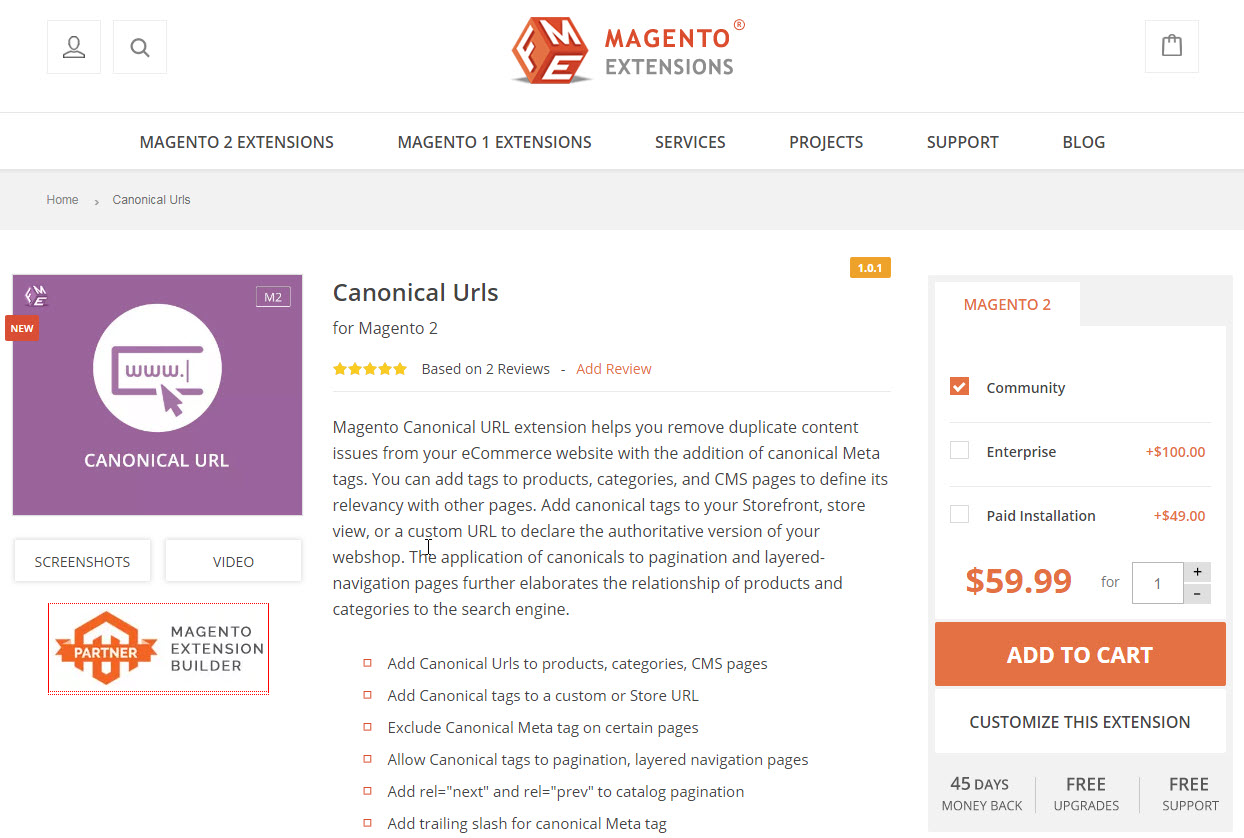
Canonical URLs is a great on-site SEO tool for your website that helps remove duplicate content and improves the crawl-ability of your web pages through canonical meta tags. It comes with a bunch of useful features that allow you to add tags to products, categories, and other pages of your website, improving relevancy with other pages and eventually helps boost on-page SEO. After installing them to your store you can set the authoritative version of your website by adding canonical tags to your store view, storefront, or a custom URL. Moreover, this extension organizes and defines your website content for search engines and users by adding canonical to layered navigation pages.
2. Hreflang tag implementer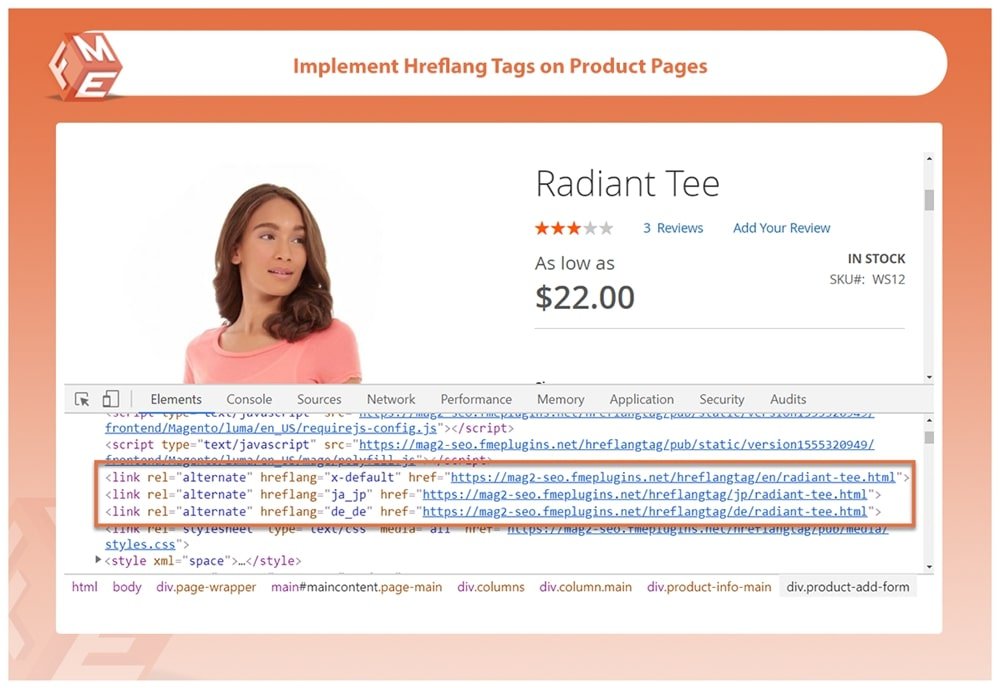
Hreflang was Introduced by Google in 2011 to improve the relevance of searches by geographic location and distinguish the relationship between alternate languages and web-pages. Hreflang helps organize your website’s traffic inflows by specifying its geographic and language restrictions. These tags are understood by search engines which rank the website based on its geographical targets. But since the hreflang attribute has to be placed separately in the HTTP header, on-page markup, or the sitemap, many website owners face difficulty in determining the ideal location to use. With hreflang tag implementer, you can automatically generate alternate hreflang tags for any specific location. This allows website owners to prevent plagiarism issues when they add duplicate content on their website and is particularly advantageous for on-page SEO of bi-lingual websites that have language-specific audiences.
3. Image Alt tags extension
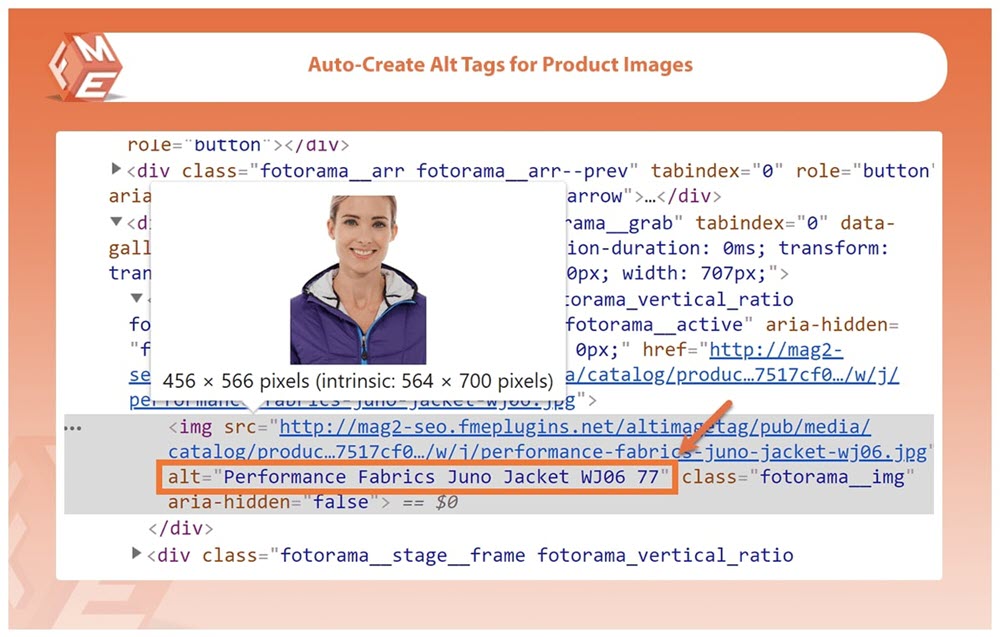
Alt tags are an important part of on-page SEO. These attributes help in creating a more accurate image context/descriptions for crawlers and search bots to index your image properly on search engines. Moreover, they serve a crucial purpose for visually impaired users in finding your website images through screen readers. But since they require dedicated effort, they often end up last in the list of tasks. Image Alt tags extension makes this simple and efficient for website owners by automatically generating alt tags that are SEO optimized for product images. It allows you to create unique and image friendly alt tags by using either custom text option or default product attributes.
4. SEO meta tags and templates
Being one of the fundamental elements of SEO, meta tags also serve a key factor in Google’s ranking process. But since meta tags have to be added individually, many website owners often neglect their implementation because of the time they consume. To make this process simpler, extensions such as SEO meta tags offer automation features that cut the process into a fraction of the time it takes to update meta tags. The extension helps optimize your on-page performance by automatically updating meta-tags on your products, generating meta titles, descriptions, keywords based on products, categories, and different CMS pages.
5. HTML and XML sitemap generator
A sitemap is an HTML or XML document that declares the list of pages your website contains by communicating it to search engines such as Google for indexing. These files are used by search engines to make your web pages more discover-able especially when you have a big website that contains loads of content. However, creating sitemaps involve certain technicalities and may not be everyone’s cup of tea. To overcome this, you can use an HTML and XML sitemap extension that helps auto-generate SEO optimized XML and HTML sitemaps so your web pages get indexed faster. Furthermore, it helps strengthen your internal linking, improve user navigation and boosts your on-page SEO.
Zeeshan Khalid is a web entrepreneur and an eCommerce specialist, and the CEO of FME extensions.
Related reading

Every year our team analyzes site audit results of our users to find out the most common SEO errors. Light shed on the results we’ve got for last year.

If you’re looking for a way to optimize your site for technical SEO and rank better, consider deleting your pages. I know, crazy, right? Lots of points covered with screenshots.

Free or freemium keyword research tools (not including obvious ones like Google Ads Keyword Planner) to provide useful insight into organic ranking opportunities, persona building, competitive research, product development, and more.

A brief idea of how you can rank a page on Google’s featured snippet, without building any links to that page. Types, techniques, and screenshots included.
Current considerations and best practices (only where things have truly changed)
### 1) Canonical URLs: don’t canonicalize away key variants
Canonicalization is still a core duplicate-control tool, but modern ecommerce sites create more URL variants than ever (filters, sorts, tracking parameters, internal search, UTM-tagged campaigns). The biggest “current” pitfall is accidentally canonicalizing *valuable* pages (for example, a high-performing filtered category page intended to rank) back to the root category.
**Best practices**
– Use canonicals to consolidate **true duplicates** (same primary content), not pages with distinct search intent.
– Keep canonicals **self-referential** on pages you want indexed.
– Avoid conflicting signals: don’t mix canonical-to-A with robots noindex on A (or canonical chains) unless you have a clear consolidation plan.
### 2) Hreflang: prioritize accuracy and consistency over volume
Hreflang remains fragile because it’s easy to implement incorrectly at scale. What matters now is less “having hreflang” and more “having it clean”: consistent language/region mapping, correct return links, and no mismatches between canonical and hreflang targets.
**Best practices**
– Ensure **reciprocal hreflang**: if page A references page B, page B should reference page A.
– Align hreflang with canonicals: each language/region page should generally canonicalize to itself, not to another locale.
– Use **x-default** where appropriate (e.g., a global selector page) to help search engines route users when no locale is a strong match.
### 3) Image alt tags: avoid “auto-generated spammy” patterns
Alt text is still important for accessibility and image understanding, but today the main risk is automation producing repetitive, keyword-stuffed, or meaningless alt text across thousands of products.
**Best practices**
– Treat alt text as **accessibility-first**: describe the image succinctly (what it is), then include differentiators (model, color) when relevant.
– Don’t force keywords everywhere; avoid boilerplate like “buy cheap” or stuffing brand + product + category in every alt.
– If an image is purely decorative, consider empty alt (`alt=””`) rather than noise.
### 4) Meta tags & templates: write for SERP quality, not just “filled fields”
Meta titles/descriptions still matter for click-through and clarity. What’s changed in practice is that templated metadata can quietly harm performance if it produces hundreds of near-identical titles/descriptions that don’t match the page’s unique value.
**Best practices**
– Use templates as a baseline, but ensure they generate **distinct** titles for different products/categories.
– Keep titles readable and specific; avoid over-long, delimiter-heavy patterns.
– Write descriptions to support the page’s promise (benefits, selection, shipping/returns), not just a list of keywords.
### 5) HTML/XML sitemaps: keep them clean, current, and aligned with indexability
Sitemaps work best as an **indexing hint**, not a dumping ground. The practical “modern” issue is inflated sitemaps containing parameter URLs, redirected URLs, or non-indexable pages—making it harder for search engines to prioritize what matters.
**Best practices**
– Include only **200-status, canonical, indexable** URLs in XML sitemaps.
– Split large sitemaps intelligently (by type: products/categories/blog) and keep them updated automatically.
– If you generate an HTML sitemap, treat it as **user navigation** (curated and readable), not a massive page listing every URL.
### 6) Automation extensions: add governance and QA
The real shift is operational: many SEO extensions now automate at scale, which means mistakes also propagate at scale.
**Best practices**
– Put a QA workflow in place: spot-check samples weekly/monthly (canonicals, hreflang, metadata, sitemap URLs).
– Track changes: maintain a log of configuration edits so you can correlate ranking/indexing shifts with site changes.
– Prefer extensions that let you **exclude rules** (e.g., don’t auto-generate metadata for discontinued products, out-of-stock variants, or thin pages).
If you want, I can tailor this section to the platform these “extensions” are for (e.g., Magento, Shopify, WordPress), since implementation details and common failure modes differ by CMS.