Your Ultimate Guide to Showing Up Consistently & Growing Your LinkedIn Presence
TL;DR:
This 30‑day LinkedIn content strategy template helps you plan, organise, and post high‑impact content consistently. It includes daily prompts, content pillars, engagement tactics, and analytics tracking—packaged in an easy‑to‑use Excel format. Perfect for creators, coaches, founders, and professionals looking to grow visibility and authority on LinkedIn.
⭐ Why You Need a 30‑Day LinkedIn Content Strategy
Posting content randomly leads to inconsistent results. A strategic 30‑day plan helps you:

- Stay consistent even on busy days
- Build authority and trust in your niche
- Attract higher‑quality connections and leads
- Reduce time spent brainstorming content
- Track performance and refine your strategy
When you plan ahead, LinkedIn becomes predictable—not overwhelming.
✅ What’s Inside the 30‑Day LinkedIn Content Strategy Template (Excel Format)
This Excel template is structured to help you plan like a pro, even if you’re a beginner.
1. Content Pillars (Your Core Themes)
Your content pillars define what you’ll talk about. Common examples:
- Industry insights
- Personal brand stories
- Problem–solution posts
- Tips, frameworks, and how‑tos
- Behind‑the‑scenes
- Achievements & milestones
- Thought leadership
- Case studies & results
Having 3–5 pillars ensures clarity and consistency.
2. Daily Content Planner (Day-by-Day Breakdown)
Each day includes:
- Post topic
- Format (text, carousel, video, poll, document)
- CTA
- Hashtags
- Target audience
- Posting time
- Status tracker (To‑Do / Scheduled / Posted)
This removes decision fatigue and keeps you on track for all 30 days.
3. 30 Days of Ready-to-Use Content Prompts
Examples:
- Day 1: Introduce your mission or what you stand for
- Day 5: Share a common industry misconception
- Day 9: Tell a personal story that shaped your career
- Day 14: Share a tool, resource, or hack you use
- Day 17: Post a carousel explaining a framework
- Day 23: Share a client story or transformation
- Day 27: Post your unpopular opinion
- Day 30: Monthly recap—wins, lessons, insights
These prompts help you write faster and keep content fresh.
4. Content Formats to Mix for Maximum Reach
To maximise visibility, the template recommends rotating:
- Text-only posts for storytelling
- Carousels for educational content
- Short videos for visibility
- Polls for engagement
- Document posts for value‑rich content
A balanced content mix reaches different audience types.
5. Hook Library (100+ Scroll-Stopping Hooks)
Examples:
- “Most people get this wrong about…”
- “If I had to start over today, here’s what I’d do…”
- “This one mindset shift changed everything for me…”
- “You’re losing opportunities if you’re not doing this…”
Hooks help your posts stand out in crowded feeds.
6. Hashtag Bank for Your Industry
Includes space to store:
- Niche hashtags
- Industry hashtags
- Community hashtags
- Branded hashtags
So you never have to guess which ones to use.
7. Engagement Tracker
Track:
- Likes
- Comments
- Shares
- Saves
- Profile visits
- Follower growth
- Leads generated
This helps you understand what your audience wants more of.
8. Competitor & Inspiration Tracker
Record:
- Competitors to analyse
- Creators you want to learn from
- Posts that inspired you
- Ideas you want to repurpose
This section fuels creativity and keeps your strategy evolving.
🎯 How to Use the Template Effectively
Step 1: Define your content pillars
Step 2: Pick your 30 prompts
Step 3: Fill in posting dates and times
Step 4: Batch‑create content once a week
Step 5: Post consistently for 30 days
Step 6: Review analytics & refine
Within 30 days, you’ll have clarity, consistency, and content momentum.
📌 Optional: Bonus Tips for Scaling Your LinkedIn Presence
- Engage for 10–15 minutes before posting
- Reply to every comment
- Connect with 5–10 relevant people daily
- Repurpose top-performing posts
- Add a strong CTA to every alternate post
- Use storytelling whenever possible
Small habits = big visibility gains.
🚀 Ready to Get the 30-Day LinkedIn Content Strategy Template?
All set—I’ve created a general 30‑day LinkedIn Content Strategy Excel template for you.
Download here : 30Day_LinkedIn_Content_Strategy_Template
What’s inside (tabs)
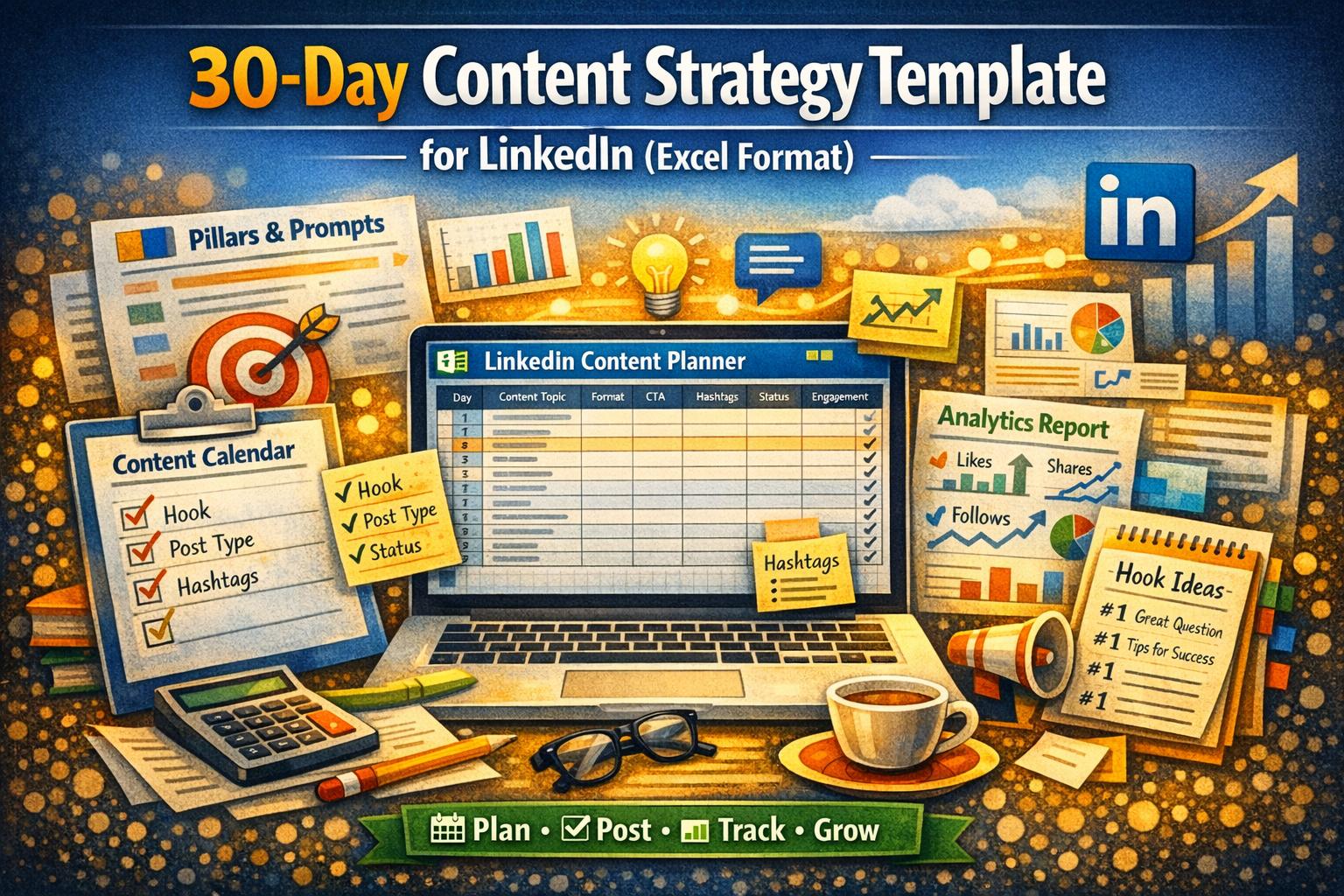
- Overview – goals, KPIs, pillars, cadence, brand voice.
- Content Calendar – 30 pre-filled rows (next 30 days) with columns for hook, format, CTA, hashtags, owner, status, link, notes.
- Pillars – suggested themes with purpose and examples.
- Hook Library – copy‑paste hooks to kickstart posts.
- Hashtag Bank – categories to organise niche/industry/community/branded tags.
- Engagement Tracker – impressions, likes, comments, shares, saves, profile visits, follows, clicks, leads, and notes.
- Competitors & Inspo – track profiles, links, takeaways, and best posts.
- Weekly Review – top post, learnings, double‑down, stop/change, next‑week ideas.
- Instructions – simple workflow and quality checklist.
How to use it quickly
- Fill “Overview” with your audience, goals, and 3–5 pillars.
- Batch-plan the Content Calendar (hooks, bullets, visuals, CTAs).
- Post 5–6×/week; update the Engagement Tracker the same day.
- Do a Weekly Review to refine topics and formats.