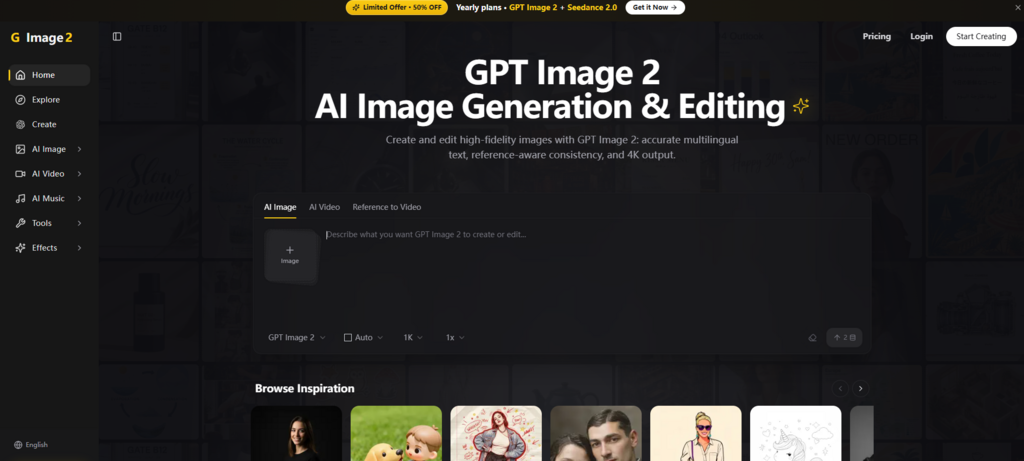
The AI image generation space has a dirty little secret. For all the photorealistic portraits and cinematic landscapes these models can produce, ask one to render a simple sign with the word “CAFE” on it, and you are likely to get something closer to “CAFÉ” with an extra accent, or “CAFE” with a stray letter floating in the background. Text in AI-generated images has been, for years, the industry’s equivalent of a typo on a billboard—glaring, unprofessional, and a dealbreaker for anyone creating actual marketing materials. Then there is the consistency problem: generating five images of the same character and watching their face morph into five different people. And the workflow fragmentation—jumping between a generator, an editor, and a video tool just to finish one project. That is precisely the gap that Image 2 is designed to close, and after spending a week putting it through its paces, the results are worth a closer look.
The GPT Image 2 Engine: What Makes This Model Different
Most image generators operate like a black box: you feed in a prompt, and the model makes its best guess at what you want, often prioritizing visual “wow factor” over precision. Image 2 is built around a different approach, powered by what the platform calls GPT Image 2. The model is described as “reasoning-grounded,” meaning it processes prompts more like a problem to be solved than a vague description to be interpreted. In practice, this translates to a noticeable difference in how the platform handles complex instructions.

Text That Actually Reads Correctly
The most immediate test for any AI image tool is typography. I prompted the system to generate a multilingual poster with the headline “READ ME” in English, “バナナ” in Japanese katakana, and a smaller sub-caption reading “Image 2 — text that stays legible”. The result was startlingly clean. The English tracked tight and crisp, the katakana rendered accurately without the usual gibberish substitutions, and the monospace sub-caption remained sharp at 4K resolution. From a practical user perspective, this is not a minor feature—it is the difference between a tool that produces concept art and one that produces publishable assets.
Reference-Aware Consistency Across Multiple Subjects
Another pain point the platform tackles head-on is character and subject consistency. Image 2 allows users to blend up to 14 references into a single scene while keeping up to five subjects consistent across generations. That means if you are building a campaign around a specific product or a recurring character, you are not rolling the dice every time you hit “generate.” In my testing, this worked surprisingly well for maintaining outfit colors and facial structure across multiple stills, though the results may vary depending on how distinct the reference images are.
A Unified Workflow: From Still to Motion in the Same Place
One of the more frustrating aspects of the current AI creative ecosystem is the tool sprawl. Generate an image in one tool, upscale it in another, remove the background in a third, and animate it in a fourth. Image 2 consolidates this into a single workflow that spans image generation, editing, and video creation. The platform describes its approach as “generate + edit in one model,” meaning you can create a new scene or mask-edit an existing one without switching tools.
The Three-Step Process That Keeps Things Simple
The platform’s core workflow is refreshingly straightforward and follows a consistent pattern whether you are creating a still image or a video clip.
Step 1: Start from Text, Image, or Both
The entry point is flexible. You can write a detailed prompt, drop a reference image, or combine both inputs. This hybrid approach is particularly useful for projects where you have a specific visual reference but want to push the output in a new stylistic direction. The same starting workflow applies whether you are generating a still or a motion clip, which reduces the mental overhead of switching between different modes.
Step 2: Dial in the Output with Adaptive Controls
Once your input is set, the controls adapt to what you are making. For still images, you can set aspect ratio and edit masks. For video, you adjust motion length and reference frames. The platform does not overwhelm you with a wall of sliders; instead, it surfaces the controls that are relevant to your current task. This keeps the experience approachable without sacrificing the granularity that more experienced creators might want.
Step 3: Refine and Ship
This is where the speed becomes apparent. Drafts for still images land in seconds, while video clips take minutes. The real advantage is the ability to iterate in place—tweak a prompt, adjust a mask, and regenerate without starting from scratch. Once you are satisfied, you can download the output directly into your existing workflow.
Putting Image 2 to the Test: Real Scenarios, Real Results
To move beyond the feature list, I tested the platform across three common creative scenarios. The goal was not to find the “best” tool, but to understand where Image 2 excels and where it still has rough edges.
Scenario 1: Editorial Product Photography
For this test, I used the prompt for a “Product Hero” image: a vintage brass pocket watch on burgundy velvet, shot with a Hasselblad feel, cinematic low-key side lighting, and a 3:4 portrait framing. The platform’s example showcase includes a remarkably detailed version of this exact scene, with hyperreal texture on the filigree gears and engraved case, a hard key light carving sharp highlights along the polished brass edge, and soft shadows in the velvet folds.
In my own attempt, the output captured the material texture convincingly—the brass had the right reflectivity, and the velvet did not look flat or plasticky. The composition adhered closely to the prompt’s framing instructions, with the watch positioned in the upper third and the chain curling downward through the lower two-thirds. The limitation? Getting the exact lighting mood required a few iterations. The first generation was slightly too bright, and the second leaned a bit too warm. By the third attempt, with some adjustments to the prompt’s lighting description, the result was portfolio-ready.
Who this works for: E-commerce teams, marketing designers, and anyone who needs product shots that look like they came from a professional studio without the cost of renting one.
Scenario 2: Multilingual Marketing Materials
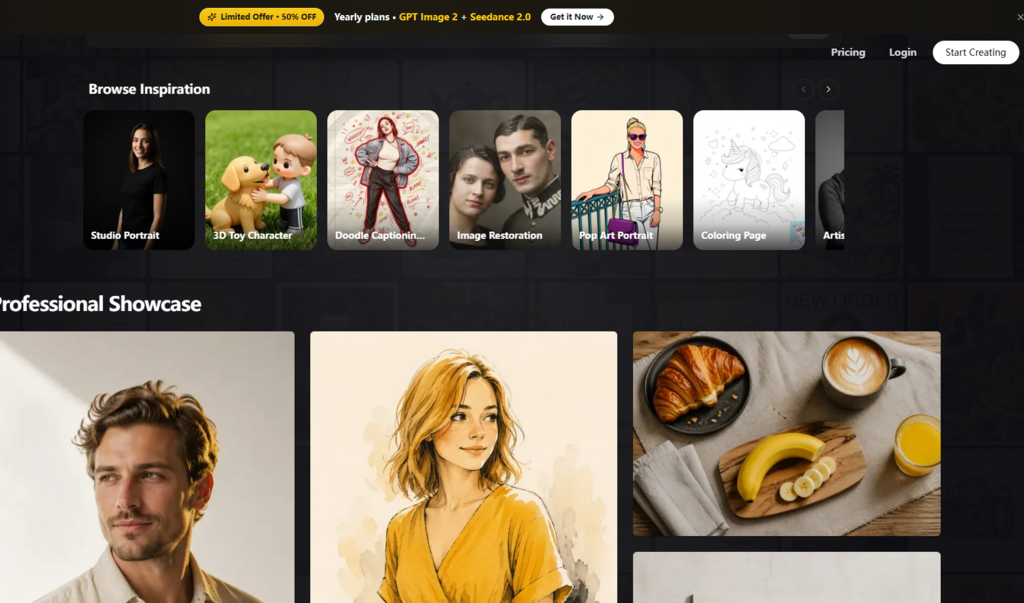
This was the test I was most skeptical about. I prompted the system to generate a poster with a bold graphic layout featuring a stylized yellow banana, a headline in English, and subtext in Japanese. The platform’s showcase includes a version of this with the headline “READ ME” in tight-tracked Inter Black, “バナナ” in Japanese katakana directly below it in a serif italic, and a smaller sub-caption in monospace.
My results were not identical to the showcase—the composition shifted slightly—but the text rendering was consistently accurate across multiple generations. No garbled letters, no scrambled characters, no misspelled words. The platform explicitly warns against “garbled letters, misspelled text, scrambled characters” in its negative prompts, which suggests that the model has been specifically trained to avoid these common failure modes. From a practical standpoint, this makes Image 2 a viable option for creating assets that include non-Latin scripts, which many competing tools still struggle with.
Who this works for: Brands with multilingual audiences, localization teams, and designers creating global campaign assets.
Scenario 3: Consistent Character Animation
The video generation capability is where the platform’s unified workflow really shines. Image 2 supports text-to-video, image-to-video, and reference-to-video—three entry points into the same motion pipeline. The platform claims that characters can carry across stills and motion clips, maintaining the same face, outfit, and product identity.
In practice, this worked best when starting from a reference image rather than text alone. A character generated from a text prompt would sometimes drift in appearance between the still and the video output. But when I uploaded a reference image and used it as the basis for both a still and a short motion clip, the consistency was noticeably better. The outfit colors stayed true, and the facial structure remained recognizable. The motion itself was smooth but not cinematic in the way a studio-produced animation would be—more like a polished animatic than a finished film.
Who this works for: Social media content creators, indie filmmakers, and anyone producing short-form video who needs character consistency without a full animation pipeline.
Where Image 2 Fits in the Current AI Creative Landscape
To put the platform’s positioning in perspective, here is a comparison based on my experience using it alongside other AI creative tools.
| Dimension | Image 2 | Typical AI Image Tools |
| Entry Barrier | Low—single unified interface for image and video | Medium to high—often requires multiple tools |
| Workflow Clarity | Three-step process with adaptive controls | Often scattered across different tabs or apps |
| Text Rendering | Reliable across multiple scripts, sharp at 4K | Inconsistent, often fails with non-Latin scripts |
| Character Consistency | Maintains identity across stills and clips with reference images | Usually limited to single generations |
| Image-to-Video | Built into the same workflow | Typically requires a separate tool or add-on |
| Learning Curve | Gentle—controls adapt to your task | Steeper—each tool has its own logic |
The platform does not try to be everything to everyone. It is not the cheapest option on the market, nor does it claim to produce Hollywood-grade animation. What it does offer is a cohesive environment where the friction between generating, editing, and animating has been significantly reduced.
A Note on Realistic Limitations
No tool is without its constraints, and Image 2 is no exception. Based on my testing, here are a few areas where the results may vary or require additional effort.
Prompt quality still matters. The platform’s reasoning-grounded approach produces better results with detailed, specific prompts. Vague instructions yield generic outputs, just like any other AI tool. The platform’s showcase examples are highly detailed—down to the color palette (charcoal #1A1A1A, off-white, warm neutral greys, subtle yellow #F5B800) and lighting direction. Matching that level of specificity in your own prompts is essential for getting professional-grade results.
Complex scenes may require multiple generations. While the model handles most prompts well, intricate compositions with multiple subjects or highly specific lighting conditions sometimes need a second or third attempt. The ability to iterate in place helps mitigate this, but it is not a one-click miracle worker.
Consistency is not guaranteed. The platform’s reference-aware consistency is impressive, but it is not infallible. In my tests, character identity held up well when starting from a reference image, but text-only generations were more variable. The platform itself notes that the model “follows your reference images closely,” which implies that the quality of the reference matters.
Video generation takes minutes, not seconds. While still images land in seconds, video clips take minutes to generate. This is not a limitation unique to Image 2—it is the reality of current AI video models—but it is worth keeping in mind if you are working on a tight deadline.
A Platform Built for Creators Who Value Cohesion
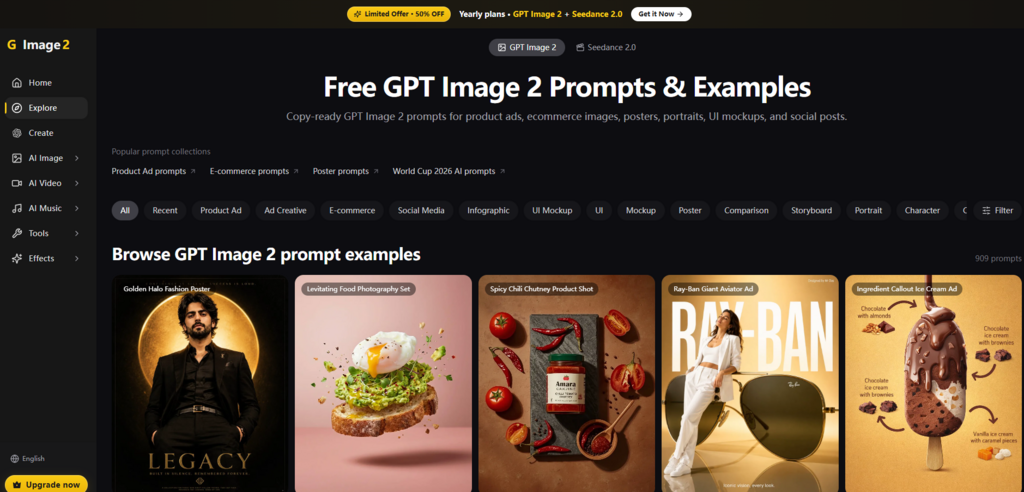
What ultimately sets Image 2 apart is not any single feature but the way the features work together. The platform describes itself as “an independent AI image and video creation platform, powered by GPT Image 2 and other frontier models—a single workflow that brings perfect text rendering, consistent characters, and cinematic video together for creators who want to move fast”. That is a fair summary of what it delivers.
For designers and marketers who are tired of wrestling with fragmented tools and unpredictable text rendering, Image 2 offers a credible alternative. For video creators who want to maintain character consistency without building a full animation pipeline, it provides a practical middle ground. And for anyone who simply wants to generate a high-quality image without spending an hour tweaking prompts, the platform’s three-step workflow is a welcome departure from the complexity that has become the norm in this space.
The platform includes free credits for new users, which makes it easy to test whether it fits your specific workflow. In my experience, the answer depends on what you are creating. If your work involves multilingual text, consistent branding, or a mix of still and motion assets, Image 2 is worth a serious look. If you are generating abstract concept art or experimental visuals, you might find other tools more suited to your needs. Either way, the era of AI images that cannot spell is finally coming to an end—and GPT Image 2 is one of the reasons why.