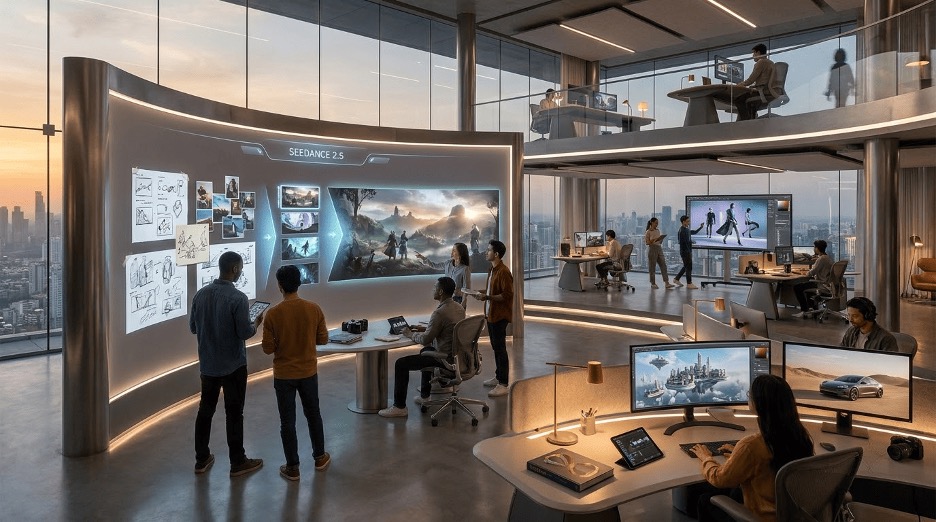
Creative work often begins with something very simple: a sentence, an image, a rough concept, or an idea that is difficult to explain. Turning that starting point into a polished visual usually requires several stages of planning, production, editing and refinement. New generative tools are changing that process by allowing creators to explore visual possibilities much earlier.
Seedance 2.5 is part of this shift. Its capabilities are designed to give creators more control over movement, references, sound, resolution and targeted changes. Instead of thinking only about producing a finished clip, creators can use these capabilities to test different ways of presenting an idea and discover which direction works best.

Higgsfield creative platform, with Seedance 2.5, brings this technology into a broader creative workflow where creators can explore concepts, work with references and refine visual ideas. This can be useful for marketers, designers, publishers, filmmakers, educators, and independent creators who want to experiment before committing to a larger production process.
Why Is Visual Experimentation Becoming More Important?
Digital audiences interact with content in many different ways. A single idea might appear as a blog article, social media post, presentation, advertisement, animation, or short video. Each format communicates differently, so creators often need to consider not just what they want to say, but how audiences should experience it.
Visual experimentation helps answer that question. Instead of immediately producing a final piece, creators can explore different possibilities first. They can test an atmosphere, camera movement, visual style, setting, or narrative direction and then decide which approach communicates the original idea most effectively.
This can be particularly valuable when an idea is difficult to visualize through words alone. A description of a futuristic workspace, for example, can explain the furniture, lighting, technology and environment. A visual sequence can bring all of those elements together and show how they interact.
What Makes a Visual Experience More Engaging?
More effects do not necessarily create better content.
A strong visual experience usually depends on several elements working together:
- Clear subject
- Consistent environment
- Intentional movement
- Appropriate lighting
- Useful references
- Strong composition
- Suitable sound
- Logical progression
A simple sequence can become more interesting when each element supports the central idea.
For example, a short scene showing someone entering a restaurant could establish the location, introduce the character, move the camera through the environment, and end with a specific detail that becomes important to the story.
The technology is only useful when those elements have a purpose. Seedance 2.5 supports clips of up to 30 seconds and different aspect ratios, including vertical and widescreen formats. These capabilities give creators more flexibility when planning how a scene should unfold.
How Can Longer Sequences Improve Storytelling?
Short clips are useful for social media and quick visual moments, but some concepts require more time. A longer sequence can establish a location, introduce a subject, create movement and reach a conclusion without breaking the idea into too many separate pieces. This can make the creative process feel more connected.
Imagine a travel concept that begins with a wide shot of a destination, moves toward a person exploring the location and ends with a close up of a local detail. The sequence communicates not only what the destination looks like but also how the experience progresses.
Creators can use this structure for many types of content:
- Brand stories
- Short films
- Product concepts
- Educational sequences
- Social media content
- Travel storytelling
- Music visuals
The benefit is not simply duration. It is the additional space available for storytelling.
How Do References Help Creators Control a Concept?
Visual references can communicate details that words sometimes cannot. A creator might have a specific product image, character reference, location, outfit, or visual style they want to incorporate into a sequence. Seedance 2.5 supports up to 50 multimodal references, including images and clips that can help establish elements such as faces, products, locations, wardrobe and style frames.
This gives creators more control over the foundation of a scene. For example, a product campaign could use references for the product itself, the environment, the desired visual style, and the overall composition.
Instead of relying entirely on a text description, the creator can provide visual information that helps communicate the intended direction.
Higgsfield can be useful in this reference driven workflow, especially when creators want to experiment with different combinations before settling on a final concept.
Why Is Consistency Important?
One of the biggest challenges in visual generation is maintaining consistency. If a character’s appearance changes between scenes, the result can feel disconnected. The same problem can occur with products, locations, clothing, or visual styles. Consistency matters because audiences need to understand that different moments belong to the same story. References can help establish that foundation.
Creators should still review generated results carefully, because visual consistency is not something that should simply be assumed. A useful workflow is to identify the elements that must remain consistent and treat everything else as an opportunity for experimentation.
For example, in a product sequence, the product itself may need to remain recognizable while the background, lighting, and camera movement can change. That creates flexibility without sacrificing the identity of the main subject.
Can Sound Make Generated Content Feel More Complete?
Sound can dramatically change how a visual scene is experienced. A quiet room, a busy street, a crowded event, and a peaceful natural environment all communicate differently through sound.
Seedance 2.5 includes synchronized audio generation, with ambience, foley and score designed to work alongside the visual sequence. This can help creators think about audio and visuals together.
For example, an educational sequence could use subtle background sound to establish context. A promotional concept could use music to create energy. A cinematic scene could combine environmental sounds with a changing score to build anticipation. The important point is that sound should support the story. Adding audio simply because it is available does not automatically improve a video.
How Can Creators Refine Specific Parts of a Scene?
Creative projects rarely work perfectly on the first attempt. A generated scene might have an excellent composition but contain one distracting element. The lighting might work well while a small object needs to be changed. Regenerating the entire sequence can sometimes be unnecessary.
Seedance 2.5 includes targeted region level editing, allowing creators to focus changes on specific areas while preserving other parts of the scene. This can encourage a more controlled editing process.
Instead of constantly starting over, creators can identify the exact part that needs improvement. That approach is particularly useful when the overall concept already works and only a small detail is preventing it from being ready.
What Can Businesses Do With These Creative Possibilities?
Businesses produce visual content for many reasons.
They may need:
- Product launches
- Social media campaigns
- Website visuals
- Promotional concepts
- Brand storytelling
- Educational material
- Internal presentations
- Event announcements
The traditional approach often requires significant planning before anyone can see the result.
Generative workflows can help teams explore early ideas faster. A marketing team could create several rough concepts and compare them before deciding which one deserves professional production.
One concept might focus on the product. Another might focus on the customer experience. A third could use a more emotional storytelling approach. The goal is not necessarily to publish the first generated result. It is to discover which creative direction has the most potential.
How Could Independent Creators Use It?
Independent creators often have strong ideas but limited production resources. A filmmaker may not have access to every location. A YouTube creator may not have a production team. A designer may not have the budget to produce multiple campaign concepts.
Generative tools can provide an additional space for experimentation. A creator could develop a rough sequence, identify what works, and then use those insights when producing the final project.
Higgsfield can support this kind of workflow by giving creators an environment for exploring visual directions rather than requiring every idea to begin as a fully produced project. Technology does not remove the need for creativity. It can simply lower some of the barriers between having an idea and seeing an early version of it.
Can It Help With Educational Content?
Visual storytelling can be especially useful when explaining processes or abstract concepts. An educator might need to explain how a machine operates, how a scientific process unfolds, or how a historical environment looked. Written explanations are valuable, but visual sequences can provide additional context. Higgsfield AI creative suite can support this approach by helping creators explore visual concepts that make complex ideas easier to present and understand.
For example, an educational video could demonstrate a process step by step rather than asking students to imagine each stage from a paragraph.
Creators should still verify educational information carefully. Generated visuals should support accurate explanations rather than replace research. The technology is most useful when it makes an existing explanation easier to understand.
What About Social Media Content?
Social platforms reward content that communicates quickly. Creators often have only a few seconds to establish why someone should keep watching. This creates a need for strong openings and clear visual direction.
A generated sequence can help creators experiment with different hooks. One version might begin with a dramatic camera movement. Another might start with a surprising visual. A third might introduce the central subject immediately.
Testing these options can help creators determine which approach fits their audience. The key is to avoid creating visual complexity simply to capture attention. The strongest social content still needs a clear message.
Can This Help Designers and Creative Teams?
Designers often work through several versions before reaching a final concept. That process can involve sketches, moodboards, references, prototypes and feedback. Generative visual tools can become another part of that exploration.
A designer could test different environments, compositions, lighting approaches, or visual styles before developing a final direction. This can be especially useful when presenting ideas to clients or team members. Instead of explaining an abstract concept entirely through words, the designer can provide an early visual example. That can make feedback more specific.
How Should Creators Build a Better Workflow?
The best results usually come from treating generation as an iterative process.
A simple workflow can look like this:
1. Define the Idea
Decide what the content needs to communicate.
2. Establish References
Choose images, products, environments, or styles that support the concept.
3. Create an Initial Version
Generate a basic sequence without trying to perfect everything immediately.
4. Review the Result
Identify what works and what does not.
5. Refine Specific Elements
Adjust movement, composition, sound, or individual details.
6. Review for Accuracy
Check products, text, people, environments, and other important details.
7. Prepare the Final Version
Only after the concept is working should it become part of the final content workflow. This approach turns generation into a creative process rather than a single prompt and publish action.
What Are the Limitations?
Generative tools still require human review. Visual inconsistencies can appear. Objects may change shape. Text may be incorrect. Real world proportions may not always be accurate. There are also important considerations around copyright, trademarks, likeness rights and the representation of real people.
Businesses should be especially careful when using generated content commercially. If a product is being shown, customers should not be given a misleading impression of its appearance.
If a real person or event is referenced, creators should avoid presenting generated material as authentic documentation. Creative freedom works best when it is combined with responsible publishing.
Does This Replace Traditional Production?
Traditional creative production remains important. Professional photography provides accurate product representation. Filmmakers can control real world performances and environments. Designers can create precise visual systems. Editors can make detailed decisions based on the requirements of a specific project. Higgsfield provides another creative environment for exploring concepts and developing visual ideas before moving into traditional production. Generative technology provides something different.
It makes experimentation easier. A filmmaker can visualize a difficult scene before production. A marketer can test campaign directions. A designer can explore a mood. An educator can prototype an explanation.
That makes generative technology more useful as a creative companion than as an automatic replacement for every existing workflow.
Why Creative Judgment Still Matters
Having more tools does not automatically create better ideas. A creator still needs to understand the audience, the message, the visual language, and the purpose of the project. The most impressive generation technology cannot compensate for a weak concept.
Human judgment remains responsible for deciding:
- What should be shown?
- What should be removed?
- What should the audience remember?
- Which style fits the message?
- Which version feels authentic?
- When is the project finished?
Technology can provide more options. Creators decide which options are worth keeping.
Frequently Asked Questions
1. What is Seedance 2.5 used for?
Seedance 2.5 is designed for creating and refining visual sequences with capabilities such as longer continuous generation, multiple references, synchronized audio, native 4K output, and targeted regional editing. It can be used across creative projects where creators want more control over visual storytelling.
2. Can Seedance 2.5 create longer visual sequences?
Yes. Its current product information describes generation of clips up to 30 seconds, giving creators more room to develop connected scenes instead of relying only on very short clips.
3. Can creators use references with Seedance 2.5?
Yes. The model supports multiple multimodal references, with the current product page describing support for up to 50 references. These can help establish elements such as subjects, products, locations, wardrobe and visual styles.
4. Is Seedance 2.5 suitable for professional creative projects?
It can be useful for concept development, experimentation, social content, marketing ideas, educational visuals and other creative workflows. However, generated outputs should be reviewed carefully, particularly when accuracy, brand representation, real people, or commercial use is involved.
Final Thoughts
Seedance 2.5 is part of a broader shift toward more flexible visual creation. Longer sequences, multiple references, synchronized audio, high resolution output, and targeted editing can give creators more ways to experiment with an idea before turning it into a finished project.
Higgsfield provides a broader environment for exploring these capabilities and developing visual concepts through an iterative workflow. The real opportunity, however, is not simply creating more content. It is creating more possibilities before making the final decision.
A rough idea can become a visual experiment. That experiment can reveal a stronger direction. And that direction can eventually become a polished piece of creative work. As these tools continue to develop, creators may have fewer limitations between imagining something and seeing what it could become. The technology provides the possibilities. Creative judgment gives them purpose.