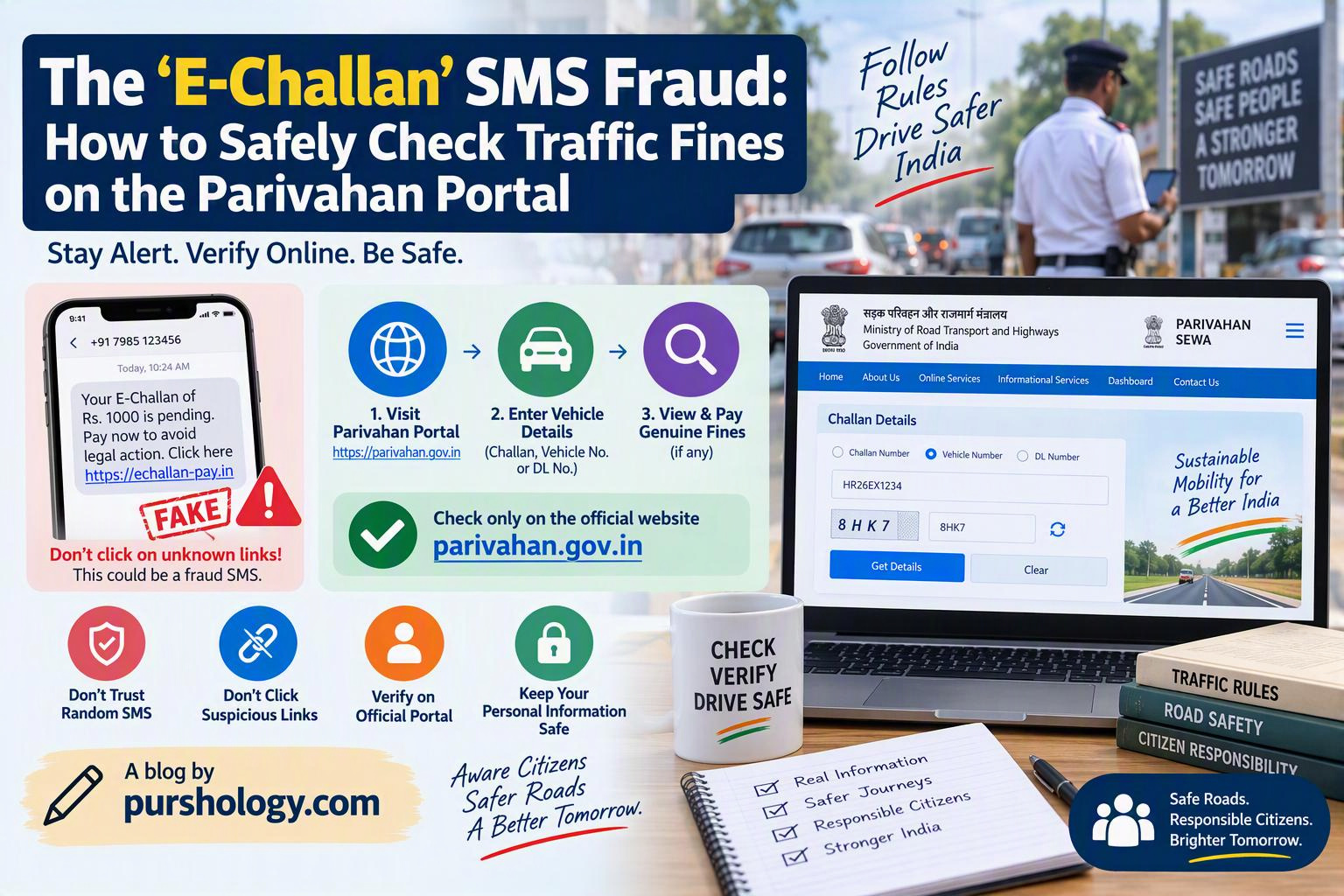
A message saying “your traffic challan is pending—pay now” can look convincing, especially when it includes a vehicle number, an urgent deadline or a government-style logo. The safe rule is simple: do not pay through a link in an unexpected SMS or WhatsApp message. Open the official e-Challan portal yourself and check whether a fine is actually recorded.
The Government of India’s e-Challan portal warns users about fraudulent websites and mobile apps impersonating its services. It also says it does not ask for passwords, OTPs, payment details or other sensitive information through calls, emails, messages or links. A cyber-safety advisory reported in January 2026 also warned about fake e-challan messages that imitate government pages and pressure recipients to pay quickly.

How the fake e-challan scam works
Scammers send messages claiming that a vehicle has an unpaid traffic fine. The message may use a short link or a look-alike domain, show a countdown or threat of extra penalties, or ask the recipient to download an Android application file (APK) to view the challan. The fake page may copy the colours and layout of an official portal, but it is designed to collect payment credentials or other sensitive data. A malicious app may request permissions it does not need.
A message can still be fraudulent even if it contains some correct-looking vehicle information. Do not treat a logo, registration number, caller ID or screenshot as proof that the link is genuine.
How to check a real traffic challan safely
- Ignore the message link. Do not tap it to “see whether it is real.” Open a browser and type the official address yourself or use a trusted bookmark.
- Visit the official e-Challan portal. Use echallan.parivahan.gov.in. Check that the address bar shows the exact government domain and HTTPS connection.
- Choose the portal’s current challan-search option. The portal may ask for a challan number, vehicle registration details or another permitted identifier. Enter the information directly on the official site, not on a page opened from the message.
- Compare the details. Check the vehicle, challan reference, date, location and offence details shown by the official portal. If the record is unclear or appears incorrect, use the portal’s grievance or official contact process rather than paying a third-party link.
- Pay only after verifying the record. Follow the payment flow on the official portal and save the receipt/reference. Never share an OTP with a caller or message sender claiming to help with payment.
Warning signs to look for
- A domain with misspellings, extra words or unusual endings around “challan” or “parivahan.”
- A shortened link that hides the destination.
- Pressure to pay immediately or threats that your vehicle will be blocked unless you act in minutes.
- A request to download an APK, install an app from a message, or enable unusual phone permissions.
- Requests for OTPs, card PINs, UPI PINs, passwords or remote screen access.
- Payment instructions to an unrelated personal account or QR code.
HTTPS and a padlock icon alone do not prove a website is genuine; scam websites can use encrypted connections too. The domain and the way you reached it matter.
What if you already clicked the link?
If you opened the page but entered nothing
Close the page and do not download anything or grant permissions. If a file downloaded, do not open it. Remove suspicious downloads and seek trusted technical help if the device behaves unusually.
If you installed an APK or entered payment details
If you suspect active misuse, disconnect the phone from networks and seek trusted help to remove the app and review permissions. From a different, trusted device, contact your bank or payment provider if financial information may be exposed. Change affected passwords and review account activity.
If money was taken
Contact your bank/payment provider immediately and report suspected financial cyber fraud through India’s cybercrime helpline 1930 and the official National Cyber Crime Reporting Portal. Fast reporting may help authorities and financial institutions act sooner, but recovery is not guaranteed. Keep transaction IDs, bank alerts, the message and complaint reference.
How to report the message
Use official government or telecom reporting channels and follow their current instructions. Do not pay a “recovery agent” who promises to retrieve the money for an advance fee. PURSHOLOGY has also covered the Google Maps review task scam; the shared lesson is to verify through an independent official route instead of trusting the message that created the urgency.
Quick family safety checklist
- Never pay from an unexpected SMS/WhatsApp link.
- Check the challan by opening the official portal independently.
- Never install an APK sent with a traffic-fine message.
- Never disclose an OTP, UPI PIN, card PIN or password to a caller.
- Use the portal’s official grievance process for a disputed record.
- If money is lost, contact the bank and report through 1930 and cybercrime.gov.in immediately.
Frequently asked questions
Is every traffic challan SMS fake?
No. Treat unexpected links as untrusted and verify the underlying challan directly through the official portal.
Does a government logo prove the message is genuine?
No. Logos and page designs can be copied. Verify the domain and the challan record independently.
What if the official portal shows no matching challan?
Recheck the details you entered and use the portal’s official help or grievance route if you need clarification. Do not pay the message link.
Key takeaway
Fake e-challan messages work by making people panic and click first. Slow down, type the official portal address yourself, verify the record and pay only through the verified government flow. If you have already lost money, contact your bank and report quickly through the official cybercrime channels.
Official reference: Government of India e-Challan portal. Check the live portal for current instructions.