
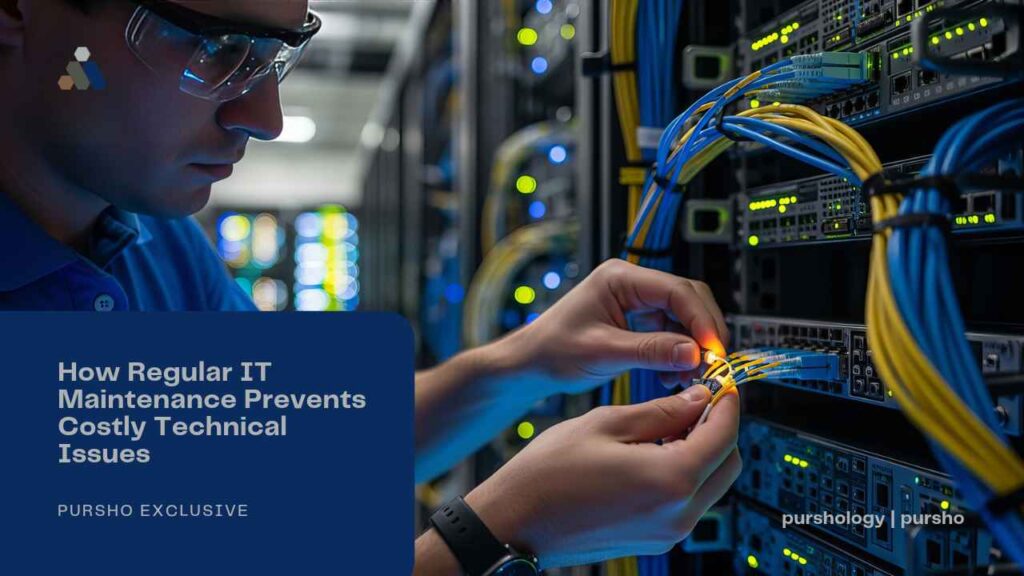
A computer crashes during a client presentation. Your office network stops working during peak business hours. Employees suddenly lose access to critical files. These problems rarely happen at convenient times, and waiting until something breaks can turn a manageable technical issue into an expensive business interruption.
Regular IT maintenance helps businesses identify vulnerabilities, address performance problems, and protect essential systems before failures disrupt operations. TheNational Institute of Standards and Technology’s Cybersecurity Framework provides a structured approach to managing cybersecurity risks, reinforcing the importance of ongoing monitoring, protection, and recovery planning for organizations of different sizes.
Why Regular IT Maintenance Matters for Business Continuity
Regular IT maintenance involves scheduled inspections, software updates, security reviews, data backups, and performance monitoring. Rather than waiting for technology to fail, businesses proactively maintain their systems to reduce unexpected downtime and improve reliability across everyday operations.
For organizations seeking dependable it management in mount pleasant sc, preventive maintenance can support more consistent operations by identifying technical risks before they affect employees or customers. Local businesses that depend on cloud applications, payment systems, communication platforms, and shared networks can benefit from a structured maintenance schedule.
Preventing Unexpected Downtime
Even brief technology outages can interrupt customer service, delay transactions, and prevent employees from completing essential responsibilities. A failed server or unstable network may affect multiple departments simultaneously, creating operational problems that extend beyond the original technical issue.
Routine monitoring and preventive repairs help identify warning signs before systems become unavailable.
Improving Employee Productivity
Slow computers, unreliable applications, and recurring connectivity issues reduce productivity throughout the workday. Employees may spend valuable time restarting devices, troubleshooting software, or waiting for technical assistance instead of completing their assigned responsibilities.
Regular maintenance improves system reliability and helps employees work with fewer interruptions.
Managing Technology Expenses
Emergency repairs often involve unplanned expenses, urgent equipment purchases, and lost working hours. Preventive IT maintenance helps businesses anticipate replacement needs, schedule upgrades, and address minor issues before they become more expensive.
Although maintenance requires ongoing investment, predictable support expenses can make technology budgeting easier.
How Preventive IT Maintenance Strengthens Cybersecurity
Cybersecurity requires ongoing attention because threats, vulnerabilities, and business technology environments continually change. Maintenance activities help organizations identify security gaps and maintain protective controls rather than relying exclusively on tools installed years earlier.
Endpoint Security and Threat Detection
Endpoint protection helps secure computers, laptops, and other devices connected to business networks. Regular maintenance includes reviewing security alerts, confirming protective software is functioning, and investigating suspicious activity that could indicate malware or unauthorized access.
Devices used by remote employees should receive the same attention as office workstations.
Access Controls and Account Reviews
Former employees, unused accounts, and excessive system permissions can create unnecessary security risks. Periodic access reviews help businesses confirm that individuals retain only the permissions required for their responsibilities.
Strong authentication methods and prompt account removal can further reduce exposure to unauthorized access.
Backup Recovery and Incident Readiness
Cybersecurity planning should address what happens after an incident, not only how to prevent one. Businesses need documented recovery procedures, designated responsibilities, and reliable communication methods when systems become unavailable.
The Cybersecurity and Infrastructure Security Agency provides ransomware prevention and response resources that emphasize protective measures and recovery preparation. These practices are especially relevant for smaller organizations with limited internal security resources.
Essential IT Maintenance Tasks That Prevent Technical Problems
An effective maintenance program combines several activities rather than relying on occasional computer updates. Businesses should review hardware, software, network performance, security controls, and recovery capabilities to maintain dependable operations.
Software Updates and Patch Management
Outdated operating systems, applications, and network devices can contain known security vulnerabilities. Applying approved patches helps reduce exposure to threats while addressing software bugs and compatibility problems that may affect daily performance.
Businesses should maintain an update schedule and test significant changes when necessary to minimize operational disruption.
Automated Data Backups
Data loss can result from hardware failure, accidental deletion, cyberattacks, or environmental damage. Automated backups provide an additional layer of protection by preserving copies of important business information according to defined retention and recovery requirements.
However, backups should be tested periodically to confirm that files can actually be restored.
Network Monitoring and Performance Checks
Network monitoring tools help identify unusual traffic, connection failures, overloaded devices, and declining performance. Early detection allows IT teams to investigate potential issues before employees experience widespread connectivity problems.
Routine reviews should include routers, switches, wireless networks, firewalls, and other infrastructure supporting business operations.
Hardware Inspections and Replacement Planning
Aging computers, storage devices, and network equipment can develop performance problems before they fail completely. Reviewing equipment condition, warranty coverage, and expected replacement dates helps businesses plan upgrades without unnecessary emergencies.
Maintaining an accurate hardware inventory also supports troubleshooting and financial planning.
Preventive Maintenance vs. Break-Fix IT Support
Businesses generally approach technology support through preventive maintenance, reactive break-fix services, or a combination of both. Understanding the differences helps owners determine which arrangement best supports operational reliability.
| Factor | Preventive IT maintenance | Break-fix IT support |
| Primary approach | Identifies risks before failures | Responds after problems occur |
| Maintenance schedule | Planned and recurring | Primarily incident-driven |
| Budgeting | More predictable ongoing expenses | Variable repair expenses |
| Security management | Continuous reviews and updates | Often addressed when problems arise |
| Business disruption | Aims to reduce unexpected outages | May involve extended interruptions |
When Break-Fix Support Makes Sense
Break-fix services can be appropriate for isolated technical problems or organizations with limited technology requirements. However, relying exclusively on emergency assistance can leave businesses without consistent patching, monitoring, and backup verification.
Companies handling sensitive information or operating critical systems generally need more structured preventive support.
Why a Combined Approach Often Works
Preventive maintenance cannot eliminate every hardware failure, software issue, or cyberattack. Businesses still need responsive technical assistance when unexpected incidents occur.
A practical support arrangement combines scheduled maintenance with clearly defined emergency response procedures, reducing avoidable problems while ensuring assistance remains available when necessary.
How Modern Technology Improves IT Maintenance
Modern IT management tools allow support teams to monitor systems remotely, automate recurring tasks, and identify unusual activity more efficiently. These capabilities can improve maintenance consistency, particularly for businesses with multiple locations or hybrid employees.
Remote Monitoring and Management
Remote monitoring and management tools allow technicians to review device health, deploy approved updates, and investigate alerts without always visiting the office. This approach can reduce delays associated with routine maintenance and certain technical problems.
Onsite assistance remains important for physical equipment failures and issues requiring direct hardware access.
Automated Maintenance Workflows
Automation can simplify recurring activities such as update scheduling, backup verification, storage monitoring, and security reporting. These systems reduce dependence on manual reminders and provide records showing whether important maintenance tasks were completed.
Human oversight remains necessary to review exceptions, confirm successful updates, and address unusual technical conditions.
Creating an IT Maintenance Schedule for Your Business
A maintenance schedule should reflect the organization’s size, technology environment, and operational requirements. Businesses using critical cloud applications, customer databases, or specialized software may need more frequent checks than organizations with simpler systems.
Daily and Weekly Maintenance
Daily monitoring should cover critical system alerts, backup completion, endpoint security status, and network availability. Weekly reviews can address failed updates, unusual performance trends, and unresolved technical issues.
These recurring checks help IT teams identify emerging problems before they interfere with important business activities.
Monthly and Quarterly Maintenance
Monthly maintenance may include patch reviews, account permissions, storage capacity, and hardware performance. Quarterly activities can include recovery testing, firewall configuration reviews, equipment inventories, and assessments of recurring support incidents.
Businesses should document findings and assign responsibility for resolving identified problems.
Annual Technology Planning
Annual reviews should examine equipment replacement needs, software subscriptions, vendor agreements, security policies, and future technology requirements. This planning helps businesses prepare for growth while avoiding unexpected purchases caused by outdated infrastructure.
Maintenance schedules should also be revised when organizations add employees, locations, or essential business applications.
Choosing an IT Maintenance Provider in Mount Pleasant, SC
Mount Pleasant businesses may need a combination of remote technical assistance and onsite support for equipment, networking, and infrastructure problems. Selecting a provider familiar with small and midsize business requirements can simplify ongoing technology management.
Evaluate Service Capabilities
Look for experience with network maintenance, cybersecurity, cloud applications, backups, and endpoint management. Providers should clearly explain which services are included, how issues are prioritized, and what happens when urgent assistance is required.
Transparent reporting helps businesses understand the value of ongoing maintenance activities.
Review Response Times and Communication
Service agreements should establish realistic response expectations, escalation procedures, and communication responsibilities. Ask whether support includes after-hours emergencies and how technicians handle problems that cannot be resolved remotely.
A reliable provider should communicate technical issues clearly and offer practical recommendations rather than unnecessary complexity.
Frequently Asked Questions
How Often Should Businesses Perform IT Maintenance?
Businesses should monitor critical systems regularly and establish weekly, monthly, quarterly, and annual maintenance activities according to operational needs. Security alerts and backup failures may require immediate attention, while equipment inventories and technology planning can follow longer review cycles.
What Happens if a Business Skips Regular IT Maintenance?
Skipping maintenance can increase exposure to outdated software, equipment failures, security vulnerabilities, and unexpected downtime. Problems may remain unnoticed until they disrupt business operations, making recovery more complicated and potentially increasing repair expenses.
Is Preventive IT Maintenance Worth the Cost for Small Businesses?
Preventive maintenance can be worthwhile when technology disruptions affect productivity, customer service, or revenue. Small businesses should compare ongoing maintenance expenses with their potential downtime exposure, security requirements, and the cost of emergency repairs.
Can Remote IT Maintenance Replace Onsite Technical Support?
Remote maintenance can handle many updates, monitoring activities, security checks, and software issues. However, physical equipment failures, cabling problems, and certain infrastructure changes may still require onsite assistance, making a combined support approach useful for many businesses.
Final Thoughts on Preventing Technical Issues With IT Maintenance
Regular IT maintenance helps businesses reduce avoidable downtime, strengthen cybersecurity, improve system performance, and plan technology expenses more effectively. Scheduled updates, tested backups, network monitoring, and equipment reviews create a more dependable environment for employees and customers.
Instead of waiting for systems to fail, businesses can establish a practical maintenance schedule, assign clear responsibilities, and review results consistently. Proactive technology management supports business continuity while giving employees more time to focus on the work that matters.