
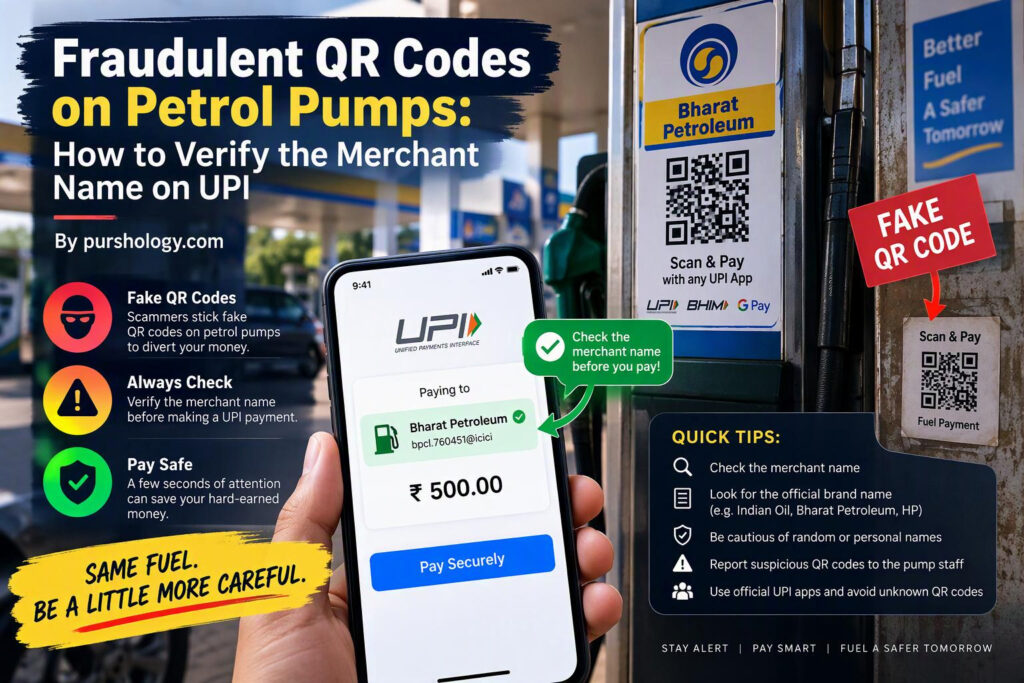
Quick answer: Before entering your UPI PIN at a petrol pump, verify the merchant or payee name shown inside your UPI app, check the amount, and confirm the payment destination with the attendant if anything looks unfamiliar. A QR code can initiate a payment to the account encoded in it, so a sticker on a pump or counter should not be trusted just because it looks official.
This guide explains a sensible safety routine for petrol-station QR payments. It does not suggest that every petrol pump QR code is fraudulent; the point is to recognise warning signs and pause before authorising an irreversible payment.
How a QR-code payment scam can work
A QR code is a convenient way to direct a payment to a particular UPI address or merchant account. If a fraudster replaces, covers, or misrepresents a legitimate payment sticker, a customer may scan a code that routes money somewhere unexpected. The payment app’s confirmation screen is therefore important: it is the final opportunity to check the recipient and amount before authorising the transaction.
The Reserve Bank of India’s public-awareness material warns users to be cautious with QR codes and states that receiving money does not require scanning a QR code or entering a UPI PIN. Read the RBI’s QR-code fraud safety guidance.
Before you scan: inspect the physical code
- Prefer the payment QR code clearly displayed by the station’s authorised cashier or payment terminal.
- Look for a loose sticker placed over another sticker, damaged edges, inconsistent branding, or a code that appears newly pasted over a permanent display.
- Do not scan a code sent by a stranger over WhatsApp or shown on an unrelated phone as a way to “receive a refund” or “get cashback.”
- If there is any doubt, ask the attendant to confirm the approved payment method and the merchant name that should appear in the app.
After scanning: verify the UPI screen
Do not treat the act of scanning as approval. Before you enter your PIN, review these details:
- Payee/merchant name: Does it match the petrol station, its disclosed legal entity, or the name the attendant has confirmed? A payment aggregator or franchise entity may use a different registered name, so ask staff to explain a mismatch rather than guessing.
- Amount: Is the displayed amount exactly the fuel bill you intend to pay?
- Payment purpose: Does the screen clearly show that you are sending money, not claiming to receive it?
- Account or UPI ID: If the app shows a UPI ID or other recipient detail, check whether it is consistent with the merchant information available.
- PIN prompt: Enter your UPI PIN only when you intend to authorise a debit. A PIN or OTP is not required merely to receive money.
NPCI’s BHIM UPI information explains the Scan & Pay workflow and available transaction features. The exact confirmation screen varies by UPI app, so learn where your app displays the payee name before you need it.
What if the merchant name does not match?
Stop—do not enter your PIN. Cancel the payment screen and ask the cashier to verify the correct QR code and payee name. If staff cannot explain the mismatch confidently, use another payment method accepted by the station or ask for a fresh, verified payment request. Do not let a queue or pressure from another person rush you into approving a payment.
Never make a small “test payment” to an unknown recipient just to see whether the QR works. A successful test can still send money to the wrong account.
Red flags to recognise
| Warning sign | Safer response |
|---|---|
| QR sticker appears pasted over the station’s original display | Ask the attendant to verify the authorised code. |
| Payee name is an individual or unrelated business | Cancel and confirm the merchant destination before paying. |
| Someone asks you to scan a code to receive a refund or prize | Do not scan it or share a PIN/OTP; use the official refund process. |
| Someone asks you to install a screen-sharing or remote-access app to “fix” a payment | Refuse; contact your bank or UPI app through its official support channel. |
| You are pressured to enter a PIN before checking the details | Pause the transaction. Your PIN authorises a debit. |
If you already paid the wrong recipient
- Contact your bank and the UPI app’s official support channel immediately. Report the transaction and ask what dispute or complaint process applies.
- Call India’s cyber financial fraud helpline 1930 as quickly as possible if you suspect fraud.
- File a report through the National Cyber Crime Reporting Portal and retain the acknowledgement number.
- Save the UPI transaction ID, timestamp, amount, recipient name/UPI ID, screenshots, receipt, and any messages or phone numbers connected to the incident.
- Do not pay an additional “recovery fee” to someone who promises to get the money back.
The national portal also provides a facility to report suspicious websites, phone numbers, email IDs, and social-media handles. See its Report Suspect page.
For petrol-station operators: reduce confusion
- Keep authorised QR displays in a controlled location and inspect them during each shift.
- Use tamper-evident or securely mounted signage where practical.
- Train attendants to state the merchant name customers should expect to see in their app.
- Provide a clear alternative payment route if the payee name cannot be verified.
- Report suspected sticker tampering to station management and the relevant payment provider.
Businesses using QR codes for promotions should also make the destination transparent. Our related guide, How QR Code Technology Is Transforming Modern Marketing, covers legitimate customer-facing uses; security and clear merchant identity should remain priorities in any implementation.
Frequently asked questions
Does scanning a UPI QR code automatically take money?
Scanning usually prepares a payment; you still need to review the details and authorise it. Never approve a payment without checking the payee and amount.
Do I need a UPI PIN to receive money?
No. You do not need to enter your UPI PIN or share an OTP to receive money. Treat requests to do so as a serious warning sign.
Is a different merchant name always proof of fraud?
Not necessarily. A registered business, franchise, or payment provider may display a different legal name. Do not guess—ask the station to confirm the expected name, and do not pay until the mismatch is explained.
What should I do first after a fraudulent UPI debit?
Contact your bank and payment app promptly, call 1930, and file the incident through the National Cyber Crime Reporting Portal. Keep the transaction details and evidence.
Official safety resources
- Reserve Bank of India: QR-code fraud awareness
- NPCI: BHIM UPI information
- National Cyber Crime Reporting Portal
Payment-app screens and complaint procedures may vary. Use the official channels of your bank and payment provider, and report suspected fraud quickly.