The Gling AI Video Editing Software is a content creation tool specifically tailored for YouTubers.


Local video editing in your browser, without sign-up or added watermarks.
In short
Trim, crop, merge, caption and compress videos in your browser. Local processing, no sign-up or added watermark, and six free exports per browser each UTC day.
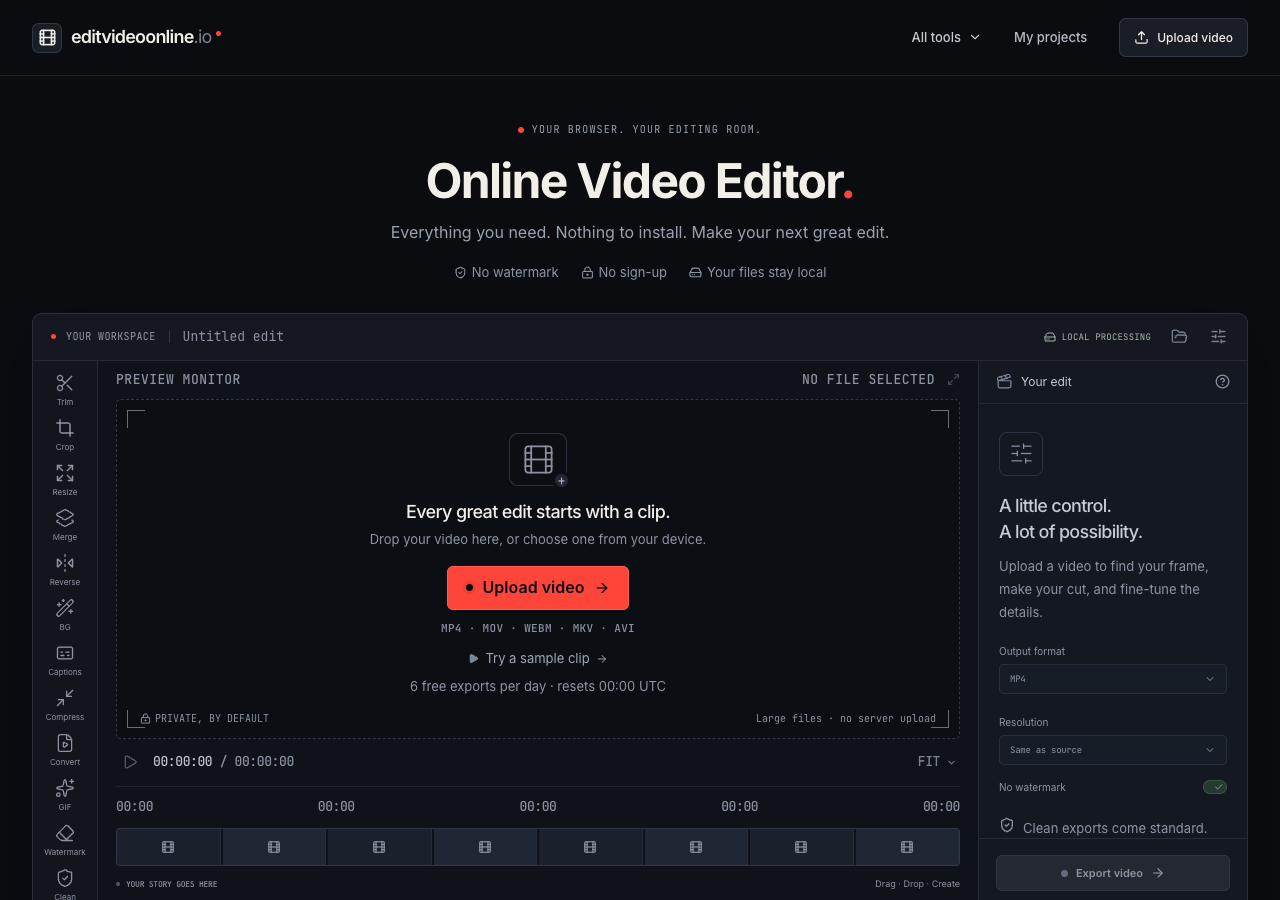
Edit Video Online brings everyday video tasks into one browser workspace. Trim unwanted seconds, crop or resize the frame, merge clips, reverse playback, add music, compress a file, convert formats or make a GIF. Local speech recognition generates editable subtitles, and background segmentation supports removal or blur.
Editing and model inference run on your device. No account is required, and exports have no added editor watermark. Each browser gets six free exports per UTC day, resetting at 00:00 UTC. Recent projects can be kept in local browser history. Uploading a finished result to the public gallery is optional and requires confirmation.
A recorded clip often needs a tighter cut, a different frame, readable captions or a smaller file before sharing. This web application provides these steps with local processing and no account setup.
Trim and crop footage; resize or merge clips; generate and edit subtitles; remove or blur backgrounds; add music; compress or convert video; make GIFs; export without added editor branding.
Content creators, educators, students and small teams preparing recorded videos for sharing.
Recommended for: Short tutorials, recorded lessons, product demonstrations and social clips.
Focused on editing existing recorded media rather than generating videos from text, live collaborative editing or automated social publishing. Original media should be kept separately.
Prices are set by the provider and can change. Always check their pricing page.
The Gling AI Video Editing Software is a content creation tool specifically tailored for YouTubers.
Latte Social is an AI-powered video editing tool designed for creators and businesses.
Peech is an AI video platform developed to support marketers.
ChapterMe ChapterGPT is an AI tool intended for automating the process of generating timestamped chapters for videos and podcasts.
Augie is an AI video editing tool developed by Aug X Labs for both individuals and businesses.
BlurOn is a plug-in specifically designed for After Effects, aiding in the process of video editing.
 VideoTextRemoverRemove burned-in subtitles and on-screen text from video with AI — no blur, no crop.
 Video Object RemoverRemove Anything From a Video with AI. No Masking Required.
 Remove Watermark from VideoRemove watermarks from your videos — no blur, no crop.
 Seedance 2.5Imagine it. Direct it. Generate it.
 Remove Music From VideoRemove background music from any video and keep the voice.
 PopNowMake it pop: AI videos, images and songs
Tell us what you need — the purshoLOGY team and matching tool providers will get back to you. Free for businesses.
Alternatives are ordered by how often they are viewed. Cards marked “Sponsored” are paid placements and are always labelled.