
The Online AI Image Enhancer is a tool designed to improve the quality of photos using various techniques.
Popular Vendor-confirmed details

UltraPic
UltraPic is your AI-powered creative partner for visual content. We dedicated to delivering professional-grade image solutions.
In short
UltraPic is an all-in-one AI image editor that helps users upscale photos, remove backgrounds, erase objects and watermarks, and batch-process visuals to speed up creative content creation.
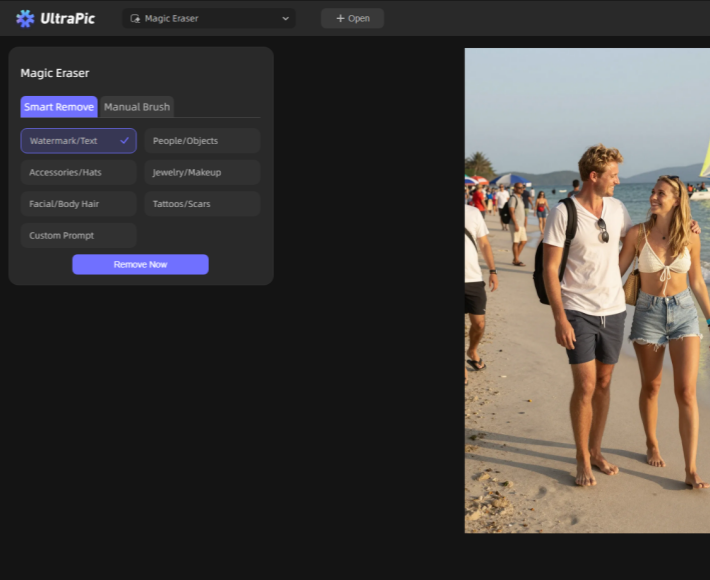


About UltraPic
This web-based AI editor works directly in any browser to simplify visual asset creation for creators and marketing teams. It automates time-consuming manual photo editing with AI models. Users can improve image quality, wipe out distracting objects and watermarks, change backgrounds, and process multiple images in batches, helping prepare polished visuals for e-commerce stores and social content quickly.
What problem does it solve?
UltraPic automates tedious visual editing work, helping them quickly enhance, retouch and prepare images for content publishing without advanced photo editing skills.
What you can do with it
Upscale low-resolution photos, remove image backgrounds, erase unwanted objects and watermarks, retouch pictures, and batch process multiple images.
Key features
- AI‑Powered Background Removal & Generation
- Lossless AI Image Upscale up to 8X
- Intelligent Watermark & Object Removal
- Professional AI Photo Retouching & Enhancement
- Batch Image Processing
- Browser‑Based, No Installation Required
Who it’s for
Content creators, freelancers, marketing teams, small businesses and agencies who regularly create visual assets for online content.
Recommended for: E‑commerce sellers, online store owners, marketing agencies, product photographers, content creators, small‑to‑medium businesses and enterprises needing fast AI‑powered image processing.
FreelancerStartupSmall BusinessAgencyMarketing Team
Not designed for
It is not built for heavy professional RAW photo color grading, 3D rendering, or enterprise-level high-volume image server integration.
Pricing
Free TrialFreemium (Free + Premium)
- Starting at
- Free forever, from $9.99/month
- Billing
- Monthly
- Card needed for free plan
- No
- Pricing page
- See plans
Prices are set by the provider and can change. Always check their pricing page.
Technical details
- Product type
- Web Application
- Deployment
- Cloud
- Platforms
- WindowsMacOSAndroidiOS
Release info
- Launched
- 11/05/2026
- Current version
- V1.0
Credibility
- Founded
- 2026
Tags
Reviews
0.0
0 reviews
There are no reviews yet.
Leave a Review
Alternatives to UltraPic
See all 280 in Image Tools →Leawo PhotoIns is a powerful and user-friendly photo editor powered by artificial intelligence.

Free online AI image upscaler — enhance and unblur photos to 2x–8x.

Free AI image upscaler to crystal-clear 4K

Rescue blurry photos with AI instantly.

Edit, transform and enhance photos with text prompts.
More in Image Tools
Browse category →-
 JynnoAI creative studio for images, videos, product ads and stories
-
 Cleanup PicturesCleanup pictures online with AI – remove objects, people & text
-
 nanobanana 21Create freely. Refine endlessly.
-
 Nano Banana 2.1Nano Banana 2.1 AI image generation and reference editing in one workspace.
-
 AI Icon CreatorAI app icon generator with 14 curated styles
-
 HiAPIOne API for leading AI image, video, and text generation models.
Not sure this is the right tool?
Tell us what you need — we’ll match you with the right providers and share their contact details. Free for businesses.
You’re all set!
Tools that already match your request
- We check your request against 1,900+ listed tools.
- We share the contact details of the best-fit providers with you.
- You talk to them directly and choose what suits you.
Alternatives are ordered by how often they are viewed. Cards marked “Sponsored” are paid placements and are always labelled.