TL;DR
Excel remains one of the most valuable tools for automobile showroom jobs. Whether you’re a sales executive, inventory manager, dealership administrator, or showroom supervisor, Excel helps track vehicle inventory, monitor sales performance, manage customer leads, forecast demand, and generate actionable reports. By mastering key Excel functions, filters, pivot tables, and dashboards, automobile professionals can improve efficiency, reduce mistakes, and drive higher sales.
How Automobile Showroom Professionals Can Use Excel for Car Inventory & Sales Management
In today’s competitive automotive industry, automobile showroom jobs require more than excellent customer service and sales skills. Dealerships generate large amounts of data daily, including vehicle inventory records, customer inquiries, sales transactions, financing information, and performance metrics.

Microsoft Excel remains one of the most widely used tools for organizing, analyzing, and managing this information. From tracking available vehicles to forecasting future sales, Excel empowers showroom employees to make better business decisions while saving valuable time.
Why Excel Is Important in Automobile Showroom Jobs
Car dealerships deal with hundreds or even thousands of vehicles annually. Without a structured data management system, inventory discrepancies and missed sales opportunities can quickly occur.
Excel helps showroom professionals:
- Track vehicle inventory in real time
- Monitor sales targets and achievements
- Manage customer leads efficiently
- Analyze sales trends
- Generate management reports
- Forecast vehicle demand
- Improve operational accuracy
For professionals seeking to advance their careers in automobile showroom jobs, Excel proficiency is often considered a valuable skill by employers.
Step 1: Create a Car Inventory Management Sheet
A dealership inventory spreadsheet should include key vehicle details that can be easily filtered and updated.
Recommended Columns
- Vehicle ID
- Make
- Model
- Year
- Variant
- Color
- VIN Number
- Purchase Date
- Purchase Cost
- Selling Price
- Current Status
- Stock Location
- Days in Inventory
Example Inventory Table
| Vehicle ID | Make | Model | Year | Color | Status | Selling Price |
|---|---|---|---|---|---|---|
| C001 | Hyundai | Creta | 2025 | White | Available | ₹15,50,000 |
| C002 | Maruti | Brezza | 2025 | Blue | Sold | ₹12,80,000 |
| C003 | Tata | Nexon | 2025 | Red | Available | ₹14,20,000 |
Using Excel’s Filter feature allows dealership staff to instantly locate vehicles by model, color, status, or price range.
Step 2: Track Vehicle Availability Automatically
One of the most common challenges in automobile showroom jobs is maintaining accurate stock information.
Using Excel Data Validation, showroom staff can create a dropdown menu for vehicle status:
- Available
- Reserved
- Sold
- Delivered
This ensures standardized reporting and reduces data entry errors.
Useful Formula
Calculate inventory age:
=TODAY()-Purchase_Date
This shows how many days a vehicle has remained in stock, helping management identify slow-moving inventory.
Step 3: Manage Customer Leads with Excel
Customer lead tracking is essential for increasing showroom conversions.
Lead Management Columns
- Lead ID
- Customer Name
- Mobile Number
- Vehicle Interest
- Inquiry Date
- Assigned Salesperson
- Follow-Up Date
- Lead Status
Lead Status Options
- New
- Contacted
- Test Drive Scheduled
- Negotiation
- Closed Won
- Closed Lost
Conditional Formatting can highlight overdue follow-ups, ensuring no potential customer is forgotten.
Step 4: Monitor Sales Performance
Sales managers frequently use Excel to evaluate employee performance and track monthly targets.
Sales Tracking Sheet
| Salesperson | Monthly Target | Cars Sold | Achievement % |
|---|---|---|---|
| Rahul | 20 | 18 | 90% |
| Priya | 15 | 16 | 107% |
| Amit | 12 | 10 | 83% |
Achievement Formula
=(Cars_Sold/Monthly_Target)*100
This calculation provides immediate visibility into employee performance.
Step 5: Use Pivot Tables for Quick Reporting
Pivot Tables are among Excel’s most powerful features for automobile showroom jobs.
They allow users to quickly answer questions such as:
- Which vehicle model sells best?
- Which salesperson closes the most deals?
- Which month generated the highest revenue?
- What colors are most popular among buyers?
Instead of manually calculating totals, Pivot Tables summarize large data sets in seconds.
Example Report
| Model | Units Sold |
|---|---|
| Hyundai Creta | 45 |
| Tata Nexon | 38 |
| Maruti Brezza | 33 |
This information helps dealerships optimize future inventory purchases.
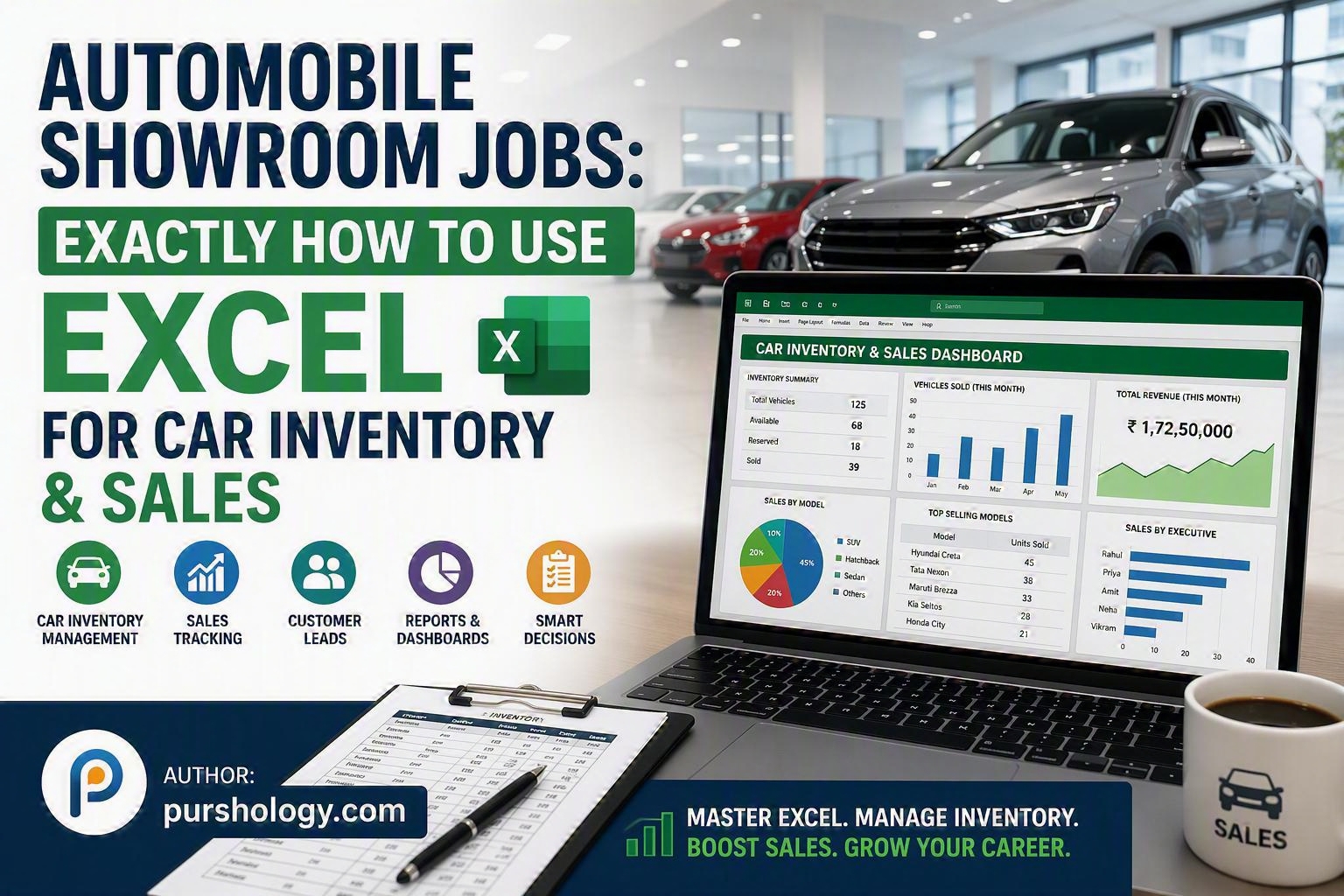
Step 6: Build a Sales Dashboard
Excel dashboards provide a visual overview of dealership performance.
Key Dashboard Metrics
- Total Vehicles in Stock
- Vehicles Sold This Month
- Revenue Generated
- Average Selling Price
- Lead Conversion Rate
- Best-Selling Model
- Sales by Executive
Useful chart types include:
- Bar Charts
- Line Charts
- Pie Charts
- Column Charts
- KPI Cards
A dashboard enables managers to review business performance at a glance.
Step 7: Forecast Future Sales
Dealerships can use Excel forecasting tools to anticipate market demand.
Simple Average Formula
=AVERAGE(B2:B13)
Forecast Function
=FORECAST.LINEAR(A14,B2:B13,A2:A13)
These functions help estimate future sales volumes and support inventory planning decisions.
Common Excel Functions Every Showroom Employee Should Know
SUM
=SUM(B2:B100)
Calculates total revenue or sales figures.
COUNTIF
=COUNTIF(F:F,”Sold”)
Counts all sold vehicles.
IF
=IF(F2=”Sold”,”Completed”,”Pending”)
Displays sales status automatically.
VLOOKUP
=VLOOKUP(A2,Inventory!A:G,7,FALSE)
Retrieves vehicle details from another worksheet.
XLOOKUP
=XLOOKUP(A2,Inventory!A:A,Inventory!G:G)
A modern alternative to VLOOKUP for searching inventory records.
Benefits of Excel in Automobile Showroom Operations
Dealerships that effectively use Excel can achieve several advantages:
- Better inventory control
- Faster reporting
- Improved customer follow-up
- Reduced data-entry errors
- Enhanced sales forecasting
- More informed business decisions
- Increased operational productivity
These capabilities make Excel a valuable skill for anyone pursuing automobile showroom jobs, from entry-level sales executives to dealership managers.
Final Thoughts
Excel is far more than a spreadsheet tool—it is a practical business management solution for automobile showrooms. Whether you’re tracking inventory, managing leads, evaluating sales performance, or forecasting demand, Excel helps transform raw dealership data into actionable insights.
Professionals who master Excel often become more productive, make better decisions, and contribute greater value to their dealership’s success. As the automotive retail industry continues to evolve, strong Excel skills remain a competitive advantage for anyone working in automobile showroom jobs.
Ready to Advance Your Career in Automobile Showroom Jobs?
Start building your Excel expertise today. Learn inventory management, master Pivot Tables, create sales dashboards, and develop data-driven decision-making skills that employers value. The better you become with Excel, the more opportunities you’ll unlock in the automotive retail industry.