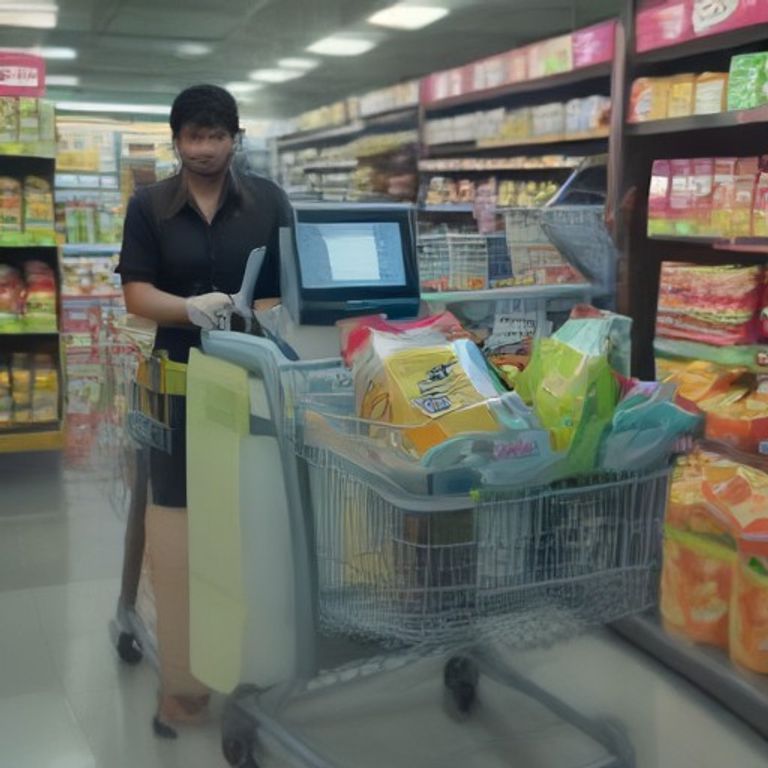
Working at a supermarket billing counter is much more than scanning products and collecting money. A modern cashier is expected to use a barcode scanner, operate a POS billing system, process cash and digital payments, handle discounts and returns, and keep every transaction accurate.
This makes supermarket cashier jobs a practical entry-level career option for people who are comfortable with basic computers, numbers, customer service, and fast-paced work. The good news is that the core workflow is repetitive, so most new cashiers can become comfortable with it after hands-on training.

What Does a Supermarket Cashier Do?
A supermarket cashier or billing executive works at the checkout counter and completes customer purchases. Depending on the store, daily responsibilities can include:
- Scanning products and checking the items loaded into the bill.
- Using a POS billing system to calculate the total amount.
- Applying approved discounts, offers, coupons, or loyalty benefits.
- Accepting cash, cards, UPI, wallets, or other digital payments.
- Printing or sending receipts and invoices.
- Handling cancellations, refunds, exchanges, and billing corrections according to store policy.
- Balancing the cash drawer and checking transaction totals at the end of a shift.
- Calling floor staff when a barcode, price, or product detail needs verification.
How a Barcode Scanner Works at the Billing Counter
A barcode scanner reads the pattern printed on a product label and sends that product code to the POS system. The POS then looks up the corresponding product record and adds its name, price, tax information, and quantity to the bill.
Step 1: Keep the scanner and counter ready
Before serving customers, check that the scanner is powered and the POS terminal is logged in. Keep bags, receipt paper, and other checkout supplies ready so the billing process does not stop during peak hours.
Step 2: Position the barcode correctly
Hold the product so the scanner can read the barcode. On some scanners you move the item through the scan area; on others you point the scanner at the barcode. A successful scan normally produces a beep and adds the item to the POS screen.
Step 3: Confirm the product on the POS screen
Do not rely only on the scanner sound. Quickly check the item name, quantity, and displayed price. This catches common mistakes such as scanning the wrong product, scanning an item twice, or missing a scan.
Step 4: Handle products without readable barcodes
If a barcode does not scan, avoid repeatedly waving the same item across the scanner. Check for a damaged label, another barcode, or the correct product-search option in the POS. Some supermarkets also use product codes or PLUs for fresh produce and items sold by weight.
How to Use a POS Billing System as a New Cashier
A POS, or Point of Sale, system is the software used to create the customer bill and record the transaction. Every POS screen is different, but the basic workflow is usually similar.
1. Start a new bill
Open a new transaction and make sure the correct cashier account, counter, or shift is selected.
2. Scan or add all products
Scan each item once. For multiple units, use the quantity function only when you are certain all units are identical. Watch the running total as products are added.
3. Check prices and offers
Supermarkets may run product discounts, buy-one-get-one offers, loyalty discounts, or promotional pricing. If the displayed price does not match the approved store price, pause and follow the store’s price-check process rather than changing prices without authorization.
4. Review the bill before payment
Confirm the number of items, total amount, discounts, and any important customer details. A ten-second review can prevent a much longer refund or correction later.
5. Select the correct payment method
Choose cash, card, UPI, wallet, or another available payment mode. For digital payments, confirm that the POS shows the transaction as successful before completing the order. For cash, count the amount received carefully and return the correct change.
6. Complete the transaction and issue the receipt
Once payment is confirmed, complete the sale and provide the printed or digital receipt. Keep the counter organized so that receipts, customer items, and payment confirmations do not get mixed together.
Common Barcode Scanner and POS Problems
New cashiers often worry when a scan does not work. Most issues are simple and can be resolved by following the store’s standard procedure.
| Problem | What to Check |
|---|---|
| Barcode will not scan | Check the label, clean the scanner window if permitted, or search the item using the POS. |
| Item scans twice | Check the quantity on screen and remove the extra line before payment. |
| Wrong price appears | Ask for a price check or supervisor confirmation instead of changing the price without approval. |
| POS freezes | Follow store support procedures and avoid repeatedly clicking payment buttons. |
| Payment appears pending | Verify the payment status before trying again to avoid duplicate charges. |
| Receipt does not print | Check paper, printer status, and the store’s reprint option. |
Cashier Job Skills You Should Learn
Employers generally value practical accuracy more than advanced computer knowledge for entry-level billing roles. Focus on these skills:
- Basic computer skills: mouse, keyboard, login, simple search, and navigating software menus.
- Numerical accuracy: counting cash, checking quantities, and handling change.
- POS handling: scanning products, creating bills, applying approved offers, and completing payments.
- Barcode handling: scanning quickly without skipping or duplicating items.
- Customer service: polite communication and calm handling of billing questions.
- Attention to detail: reviewing prices, quantities, discounts, and payment status.
- Basic troubleshooting: knowing when you can fix a simple issue and when to call a supervisor.
How to Improve Your Speed Without Losing Accuracy
Speed matters at a busy supermarket, but fast incorrect billing creates bigger problems than slow accurate billing. Build speed gradually.
- Learn the most common POS shortcuts used by your store.
- Keep frequently needed items and checkout materials organized.
- Scan products in a consistent rhythm instead of rushing.
- Look at the POS screen while scanning so errors are caught immediately.
- For packed carts, group similar items when it is practical, while still following store procedures.
- At peak times, stay focused on one customer transaction until it is properly completed.
Cash Payment vs. UPI and Card Payments
Supermarket billing counters now handle a mix of cash and digital transactions. Each payment method has a different verification step.
Cash: Count the customer’s money clearly, enter the received amount correctly when the POS requires it, and return the displayed change.
Card: Wait for the terminal to confirm approval and follow the store’s procedure for declined or reversed transactions.
UPI: Do not assume payment is complete merely because the customer shows a successful-looking screen. Check the POS or approved payment confirmation process used by the store.
What Freshers Should Expect in Supermarket Cashier Jobs
Freshers usually learn the store’s POS, billing rules, payment process, returns policy, and counter procedures on the job. Training time varies by employer and by the complexity of the store’s systems.
For job seekers, useful search terms include supermarket cashier jobs, cashier jobs, supermarket billing jobs, billing executive jobs, and POS operator jobs. Many employers also look for basic computer knowledge, customer-handling ability, and comfort with working shifts.
A Simple Practice Routine for New Cashiers
You can improve quickly by practicing a complete mock transaction instead of memorizing individual buttons.
- Open a sample bill.
- Scan 5–10 different products.
- Add a quantity of two for one product.
- Practice checking the running total.
- Apply a sample discount if the training environment allows it.
- Practice a cash payment and calculate change.
- Practice the steps for a card or UPI transaction using the store’s training mode.
- Cancel one item and check how the total changes.
- Complete the bill and verify the receipt.
Final Tips for Building a Career from a Cashier Role
A cashier role can be a starting point for wider retail responsibilities. After becoming reliable at the billing counter, employees may learn cash reconciliation, inventory processes, customer service, shift supervision, and store operations.
The most valuable habit is simple: scan carefully, verify the screen, confirm payment, and complete the transaction cleanly. Once these steps become routine, operating a barcode scanner and POS billing system becomes much easier, even for a complete beginner.
As you gain experience, learning broader retail software and business operations can open additional career paths. For a related overview, see our guide to ERP software for retail and business management.
FAQs About Supermarket Cashier Jobs
Do I need advanced computer skills to become a supermarket cashier?
No. Basic computer skills, numerical accuracy, and willingness to learn the store’s POS system are usually more important for entry-level roles.
What should I do when a barcode does not scan?
Check the barcode and product label, then use the approved product-search or code-entry method. Ask a supervisor for help if the product or price cannot be verified.
Is a POS billing system difficult to learn?
Most new cashiers learn the basic workflow through hands-on practice: start a bill, scan items, verify the total, take payment, and issue the receipt.
Which is more important: speed or accuracy?
Accuracy comes first. Speed should improve with practice without sacrificing correct scanning, pricing, payment verification, or change.
Can a cashier role lead to career growth?
Yes. Experience at the billing counter can help employees move into roles involving cash reconciliation, customer service, floor operations, inventory, or store supervision, depending on the employer.