If you have a user base that is looking for a specific type of job role in a particular location.
You can offer them a built-in job board on a webpage or Airtable that will not only display selected jobs in front of them, but they also won’t need to visit different platforms to apply.

In this tutorial, I will build a job board that specifically pulls jobs daily from LinkedIn for a specific area.
Let’s get started!!
What You Would Need To Create This Automation
- Make.com Account (1000 free credits)
- Scrapingdog’s Account (1000 free credits)
- Airtable
I assume you are familiar with Make.com and its basic operations. We will first build our scenario.
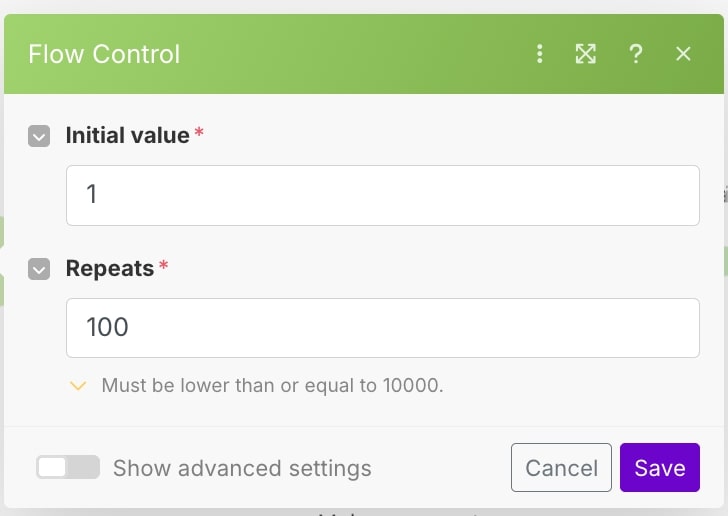
The first module we will be using is a repeater, and its value will be as per the image below.
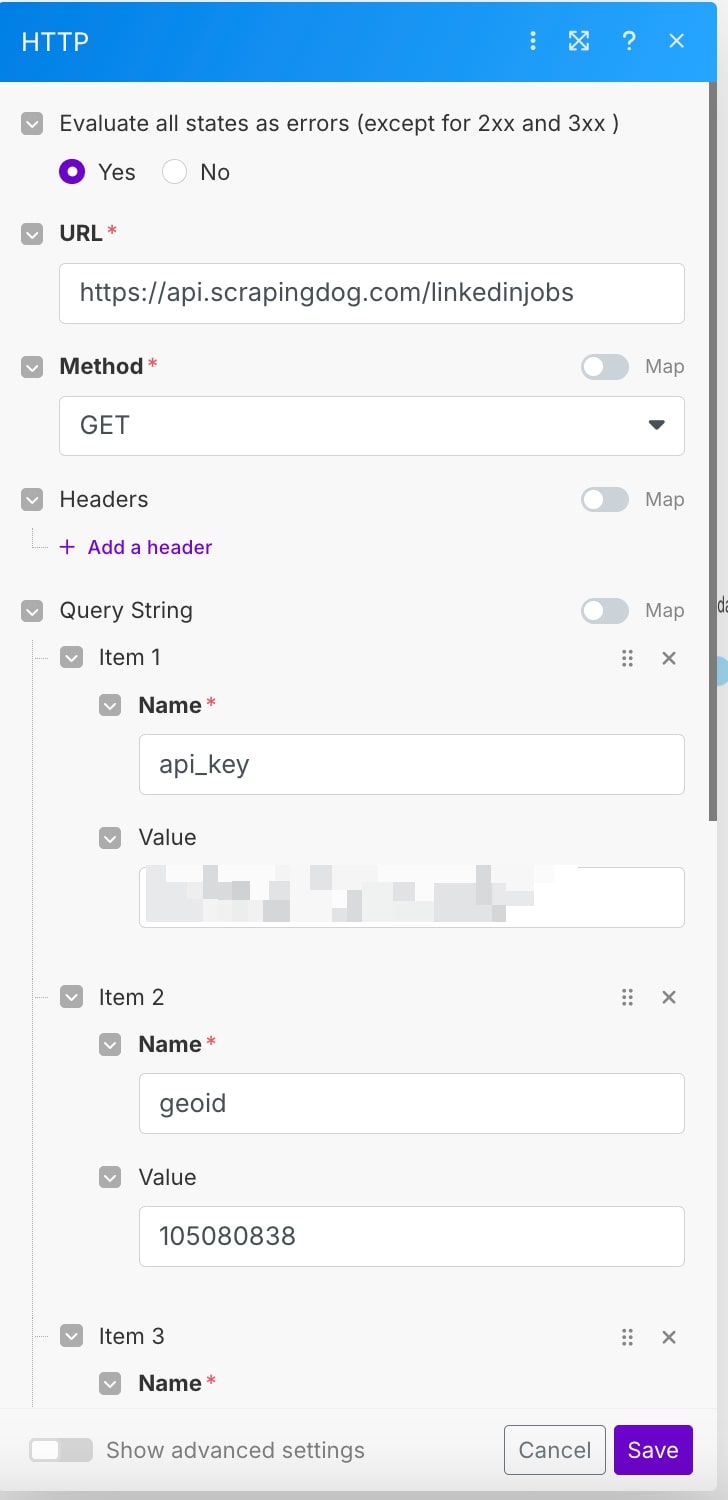
The next module is HTTP, here we will call the LinkedIn jobs API from Scrapingdog
To read more about how this API works, you can read the documentation – https://docs.scrapingdog.com/linkedin-jobs-scraper
You would need API_KEY from scrapingdog that you will get when you sign up for the first time.
Geoid is the unique tag that every location has. For example, you can see in the image below the GeoId of NewYork.

The page parameters yield the specific page data.
Our first module “Repeater” is handling the pagination & we are trying to extract all the page’s data.
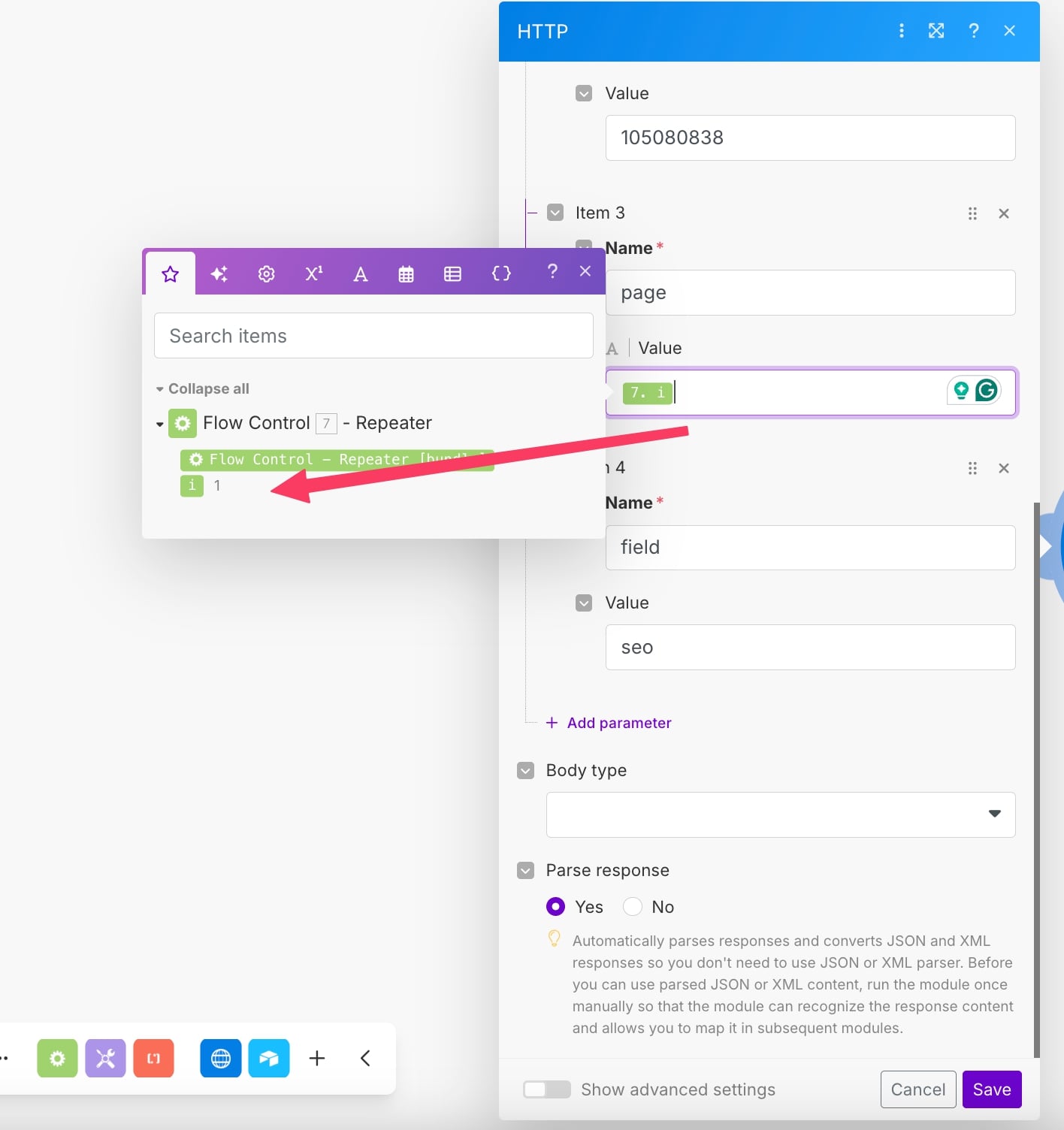
This value continuously gets increased by 1 in our cycle and goes up to 100.
The third module we will be using is an iterator module, since the output from our HTTP module gives an Array of jobs, we need to separate them out, and an iterator would help us in that.
Let me quickly show you what output data the HTTP gives.
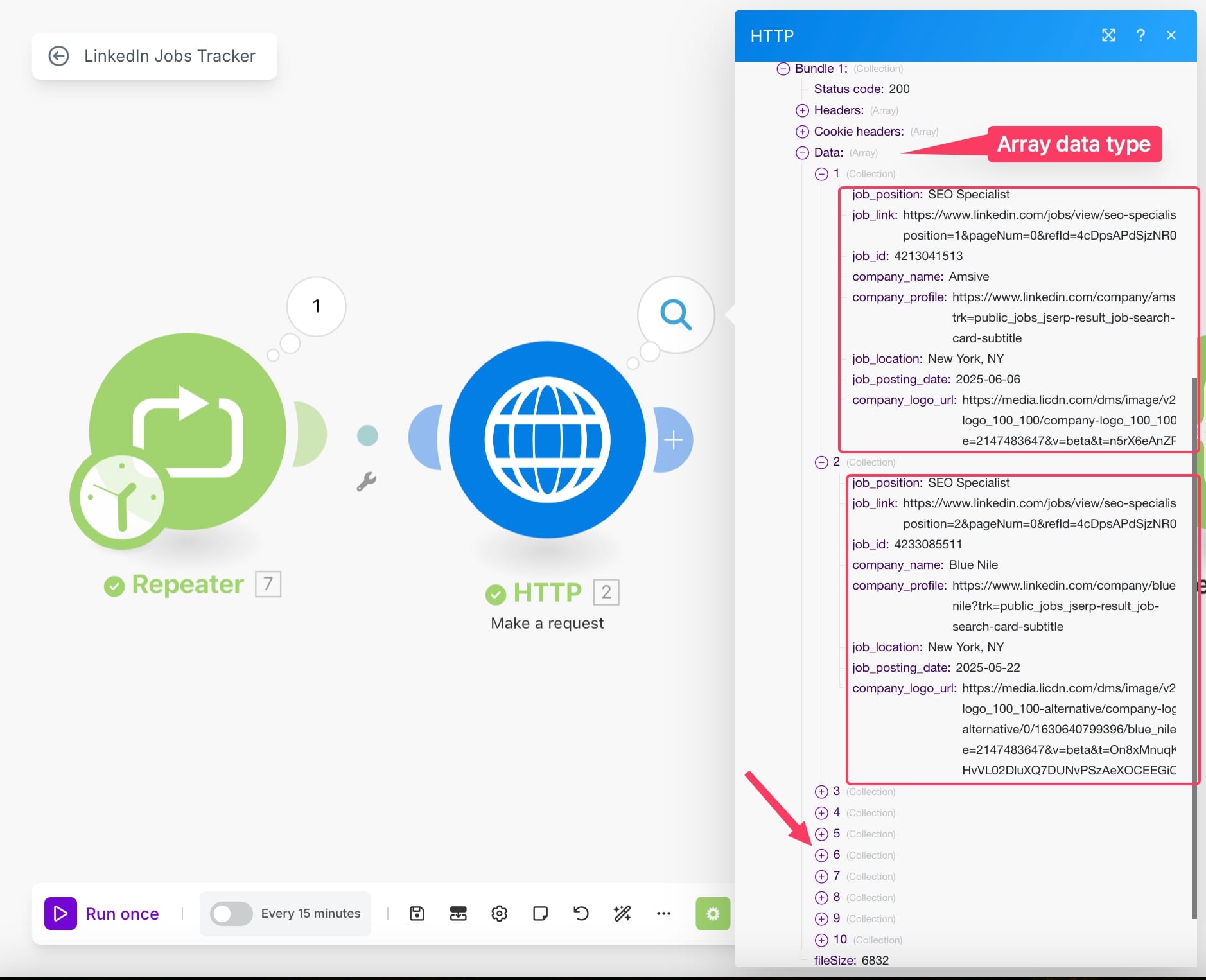
As you can see from the image above, the output data is in array format.
And therefore, an Iterator will help us give bundles that we can paste into our database as is.
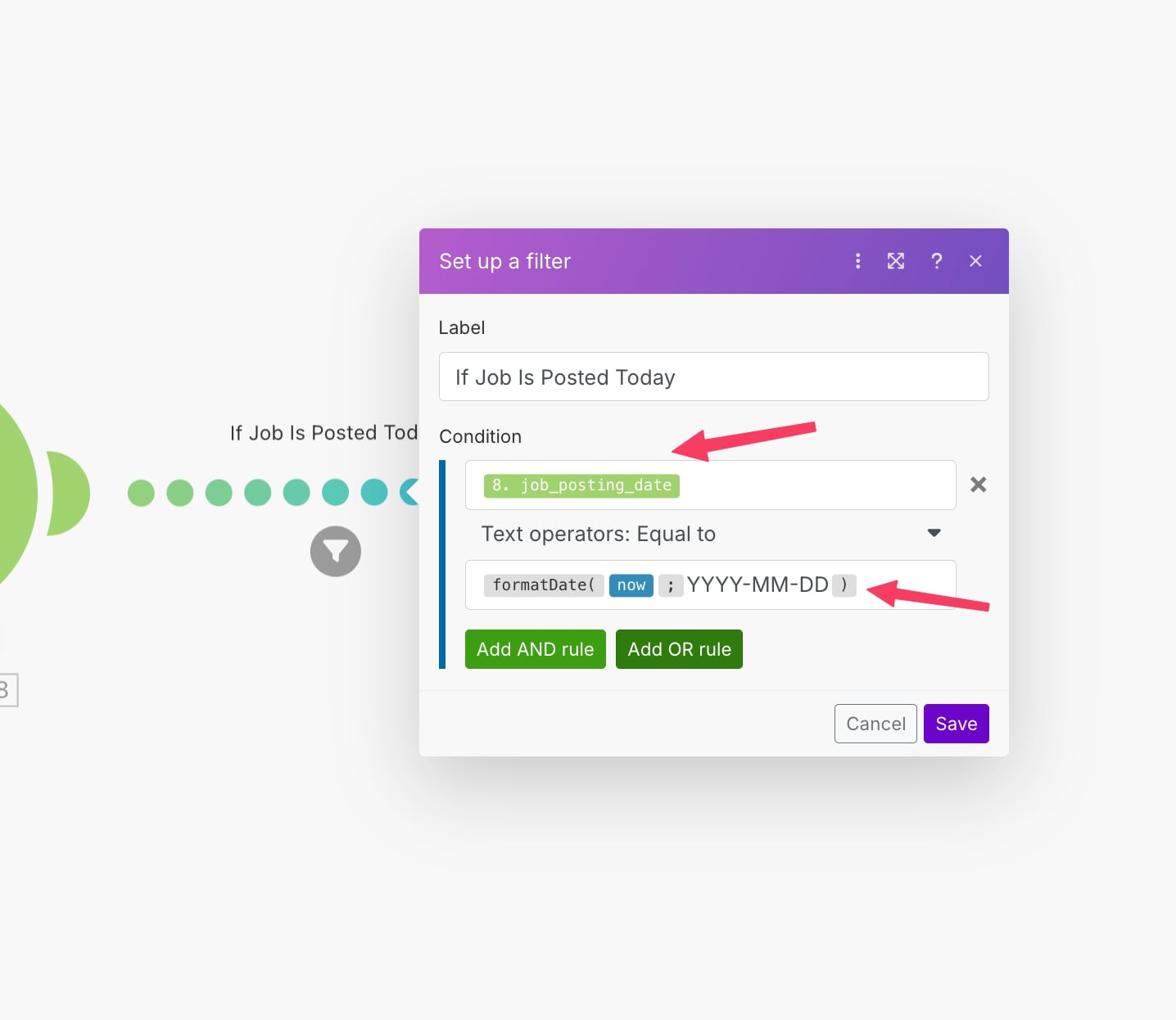
But we have added a filter to not take empty data into our database.
Now, the next thing is to take the data into our Airtable.
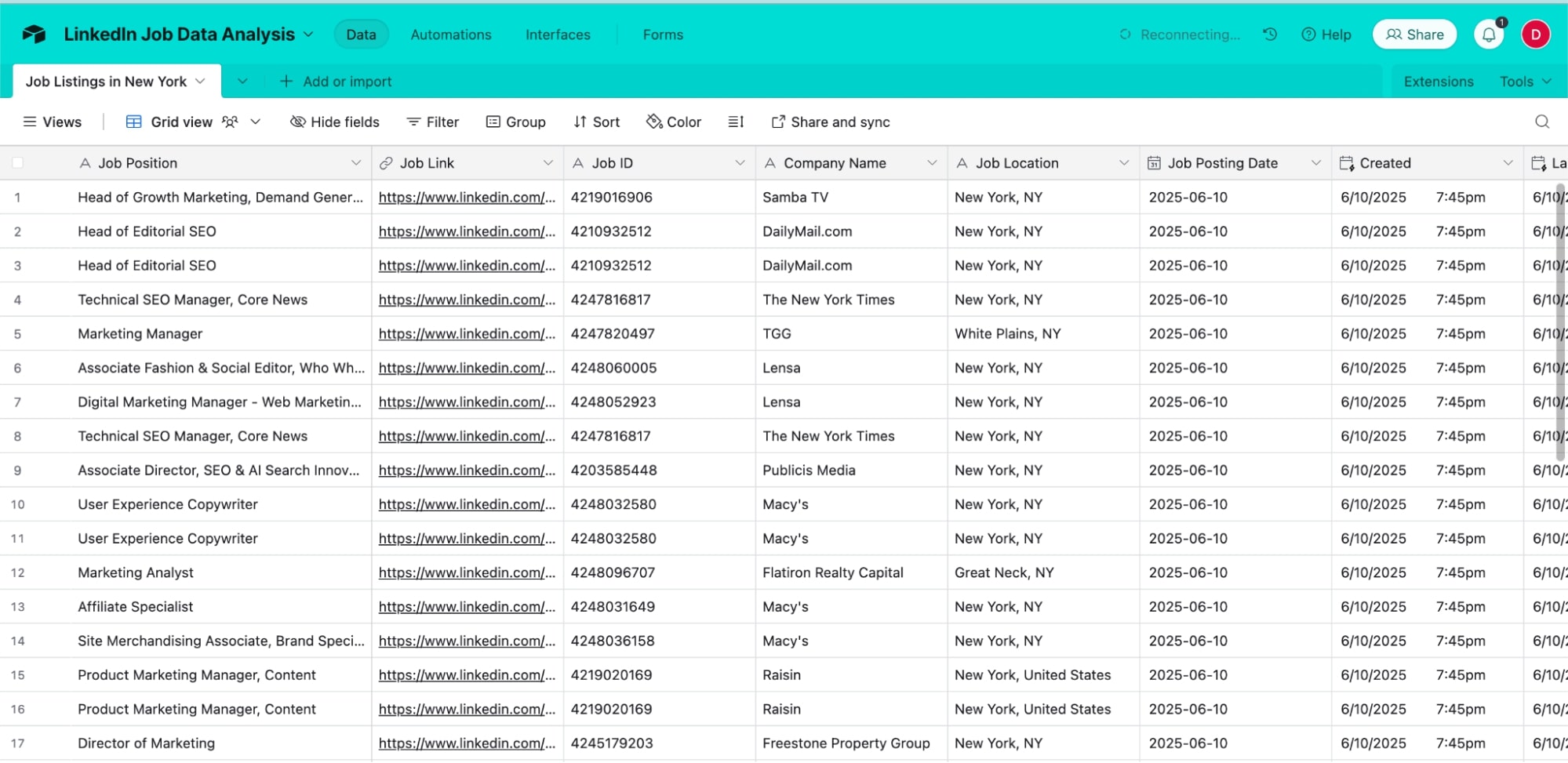
I have already created my Airtable, and here we will take all the job data that is scraped from LinkedIn jobs.
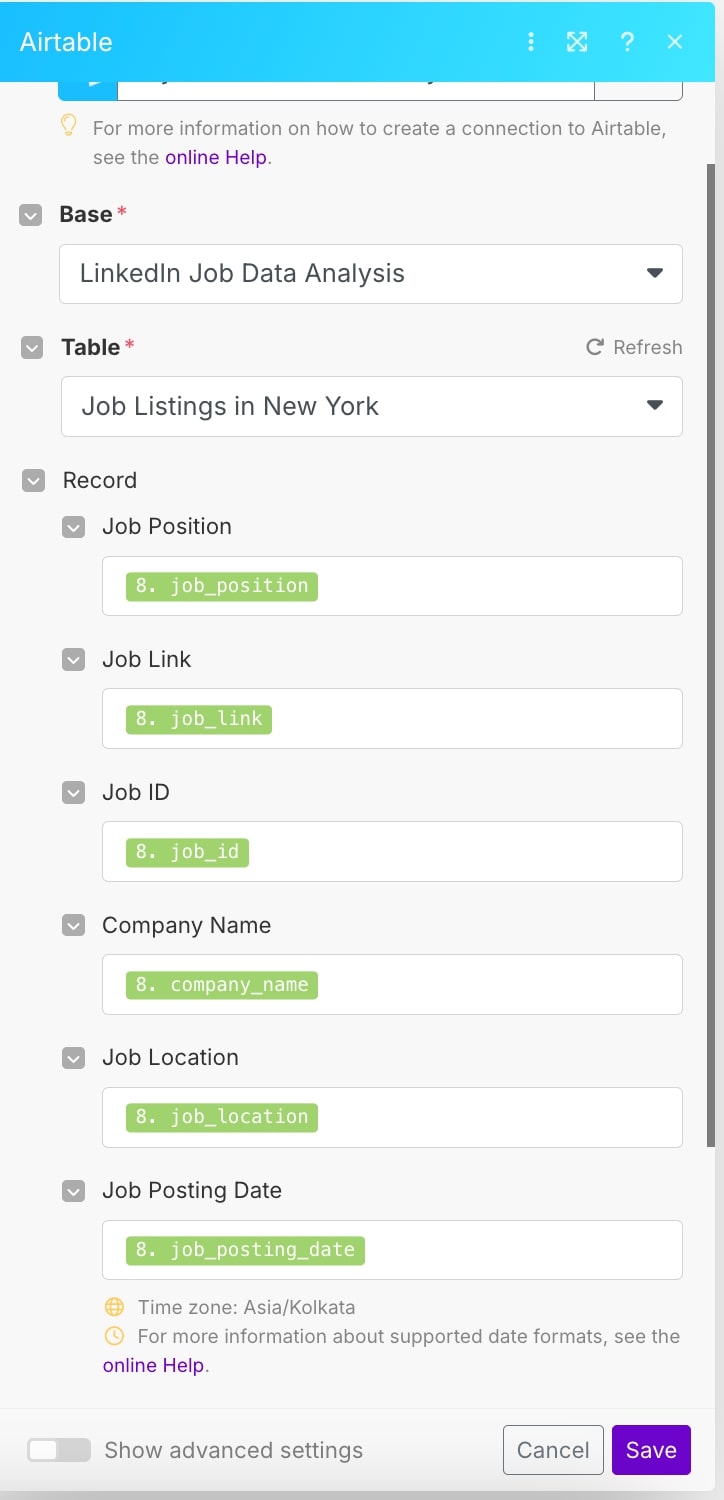
So the final module will be to “Create a Record” in Airtable. And below is the image that shows how I am mapping the data.
And here’s what the data looks like in our Airtable when the scenario is run successfully.
Also, I don’t want to take all the jobs, and therefore I am scanning all 100 pages but taking only jobs that are posted today.
For that, I have the filter applied that only takes the jobs that are posted today.
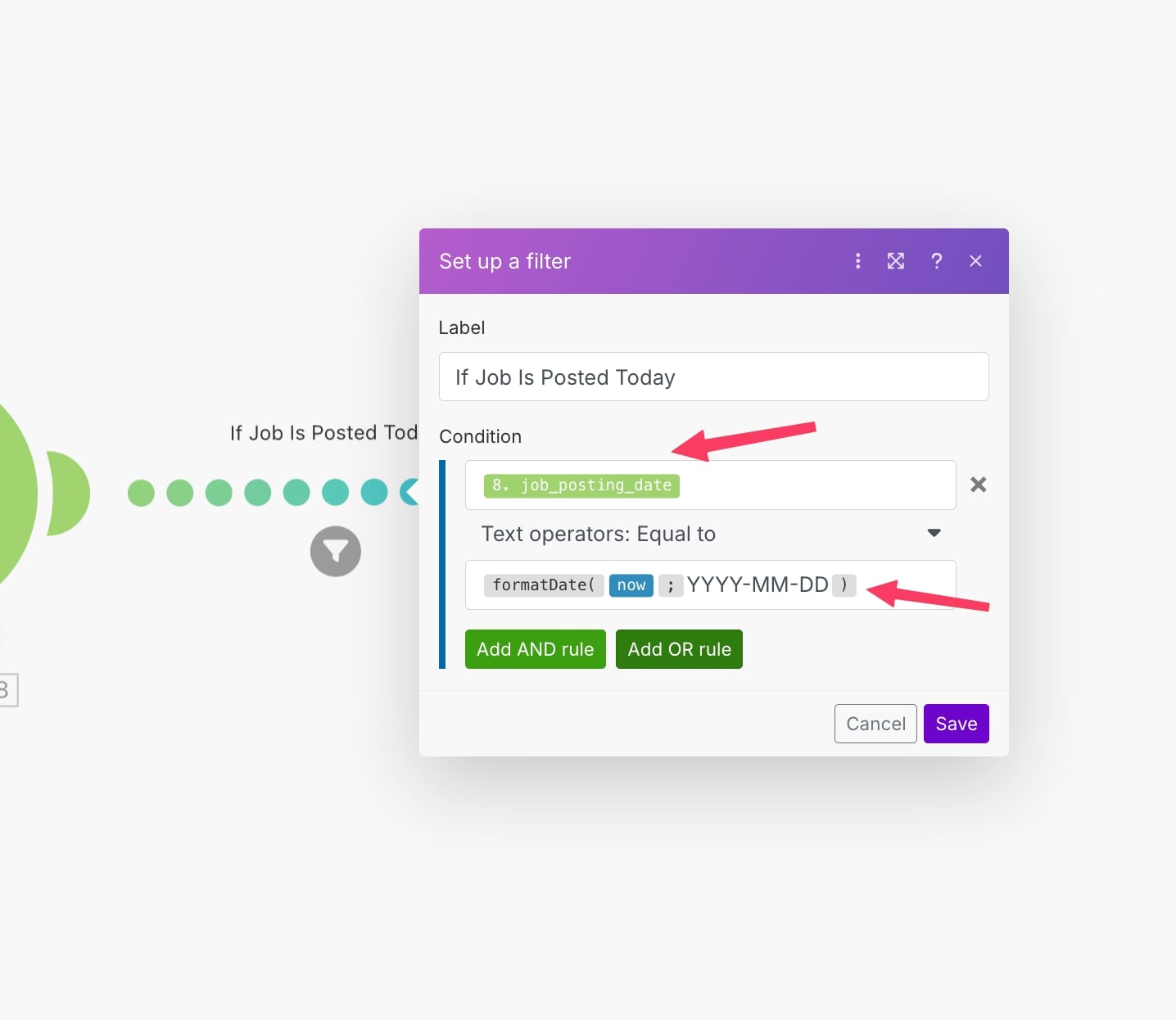
This way, I am allowing only the job posts that are posted today to pass; you can ignore it in your workflow if you want the data from.
You can also take jobs that were posted in the past week.
Here is the blueprint for this automation – https://drive.google.com/file/d/1iATQjd3J0Qw20ybVDlT-lQp6z23ajFUj/view?usp=sharing
You just need to import it into your Make.com workflow, and it is ready to use.
The only tuning to it you would need is to connect your own scrapingdog’s API key. Again, when you sign up, you get 1000 free credits to spin it.
Find your key in the dashboard of your account and paste it!
Some Use Cases of Scraping Jobs Data
Automated job scraping unlocks several quick wins. Recruiters can build a live talent pipeline, and new postings feed straight into CRM, so high-fit candidates are contacted before rivals.
Growth teams can watch competitor hiring to spot product pushes (e.g., five new AI engineers hint at a feature launch).
Salary analysts track advertised pay bands city-by-city to update compensation guides. Agencies harvest fresh company leads, multiple listings from one firm, and flag a warm prospect for outreaching services. Training providers scan role descriptions for trending skill keywords (“GA4,” “AI content”) to plug gaps in their course catalogues.
HR tech platforms and staffing agencies gain the most, turning raw vacancy data into dashboards and job-alert products. SaaS vendors in SEO, analytics, and martech monitor hiring surges for time-based marketing campaigns.
EdTech and bootcamps rely on skill-frequency stats to keep curricula relevant. Venture investors watch hiring velocity across portfolio sectors as an early health indicator. Finally, market-research consultancies wrap the feed into salary benchmarks and geographic demand maps for reports they sell to corporate clients.
Conclusion
For this tutorial, we have used only LinkedIn Jobs data; there are other job platforms out there that you can tap and extract data from.
Indeed, Google Jobs, Glassdoor, MonsterJobs, TimesJobs you name it.
The good news is that with every API available out there in the market, you can take a free trial and therefore look at what suits your needs best.