Why do stores put limits anyway?
Ever tried buying ten packs of toilet paper during a crisis? Or just one cookie from a bakery? Either way, you’ve probably seen some “You can’t do that” kind of message. That’s not by accident. That’s a store protecting itself and protecting other buyers, too.

In online stores, it’s the same. You can’t just let someone clear out all the stock or buy in tiny bits that make no sense for shipping. That’s where WooCommerce quantity limit plugins step in. They control how much a customer can add and how little. Sometimes, even the exact steps.
And guess what? In 2025, these plugins got sharper. Cleaner. Smarter. They don’t just block people—they guide them—little alerts. Friendly icons. Smooth dropdowns. It’s like the shop gently saying, “Hey, buy this way, it works better.”
So, let’s dive into the best ones. But first—why even bother?
Why Stores Need Quantity Limits
Running an online shop? You know the chaos. People order one piece when shipping costs three times more. Or one greedy buyer hoards everything in seconds. Not fair.
Quantity rules fix that. They’re like guardrails. Keep the shop safe. Keep customers sane.
- Fairness: Don’t let one person buy 50 when others need some too.
- Profit: Minimums make sure small orders don’t eat your margins.
- Stock Control: You stop shortages before they even start.
- Shipping Balance: No more wasting a big box for a single pen.
- Wholesale Ready: Perfect if you sell in bulk. Only in sets. No odd numbers.
So yeah, limits matter. Without them? Mess.
What to Look for in a Good Plugin
Not every plugin is worth it. Some feel clunky. Some confuse buyers. Some don’t even update for years. You don’t want that.
Here’s what you actually want:
- Global + Product Rules: Works everywhere or just one item.
- Cart Restrictions: Control total pieces or value.
- Step Rules: Force multiples. 6, 12, 18. Like pizza slices—you can’t buy 5.
- Clear Alerts: Don’t just block. Tell buyers what’s wrong. Nicely.
- Dropdowns: Clean choices instead of free typing errors.
- Exclusions: Some products need no rules. Keep that option.
- Compatibility: Works with themes. Doesn’t break your shop.
Simple. Those are the must-haves.
7 Best WooCommerce Quantity Limit Plugins for 2025
Now the exciting part. Let’s talk tools.
- WooCommerce Min Max Quantities – By Motif Creatives
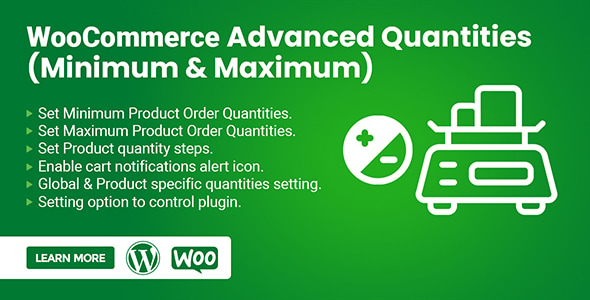
Think of this as the all-rounder. It lets you set minimums, maximums, and even step-based limits. Globally. Or per product. Your choice.
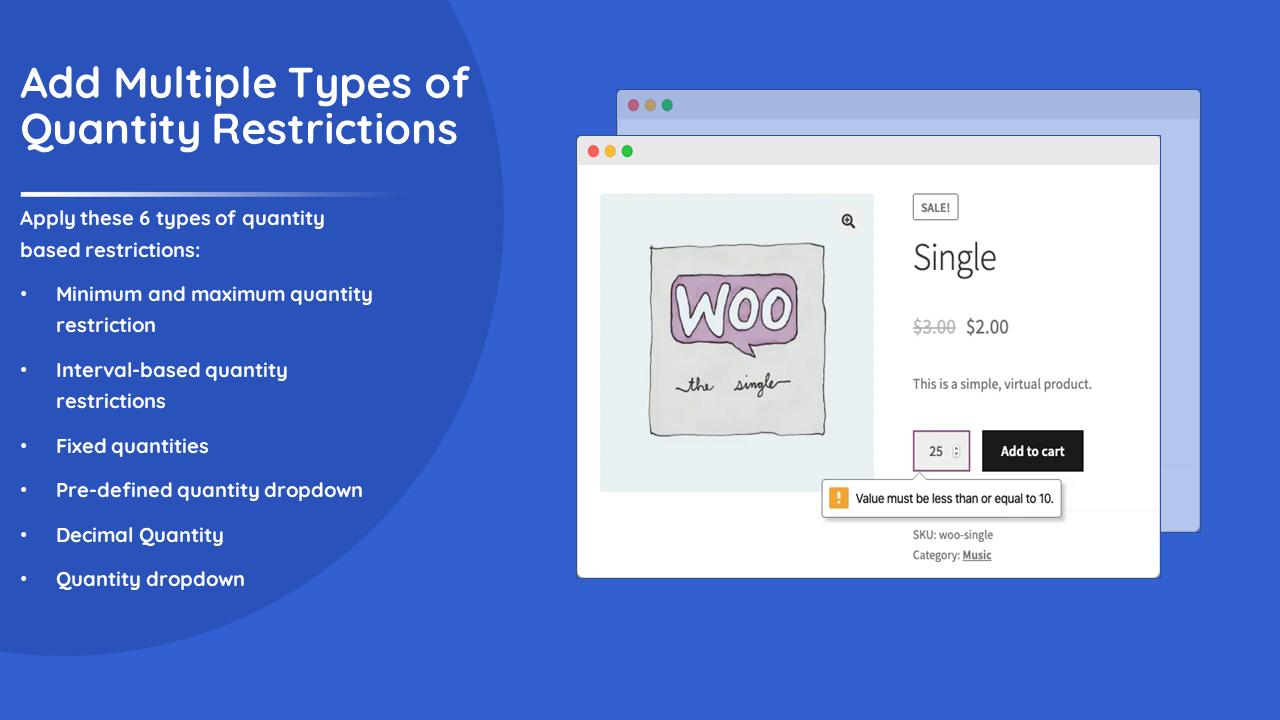
The killer feature? Notifications. Not just dull text. Real alerts with icons. Like a friendly red flag saying “Nope, fix this.” Customers get it instantly.
Highlights:
- Rules on the product level and global.
- Step multiples.
- Dropdown or input.
- Exclude products.
- Alerts in mini-cart, product page, and cart page.
Picture this. A bakery selling cupcakes. Only in boxes of 6. Someone tries to buy 5. Instantly, a message pops up. Please fix it. Easy. Smooth. Everyone’s happy.
- Min/Max Quantities for WooCommerce – By WooCommerce
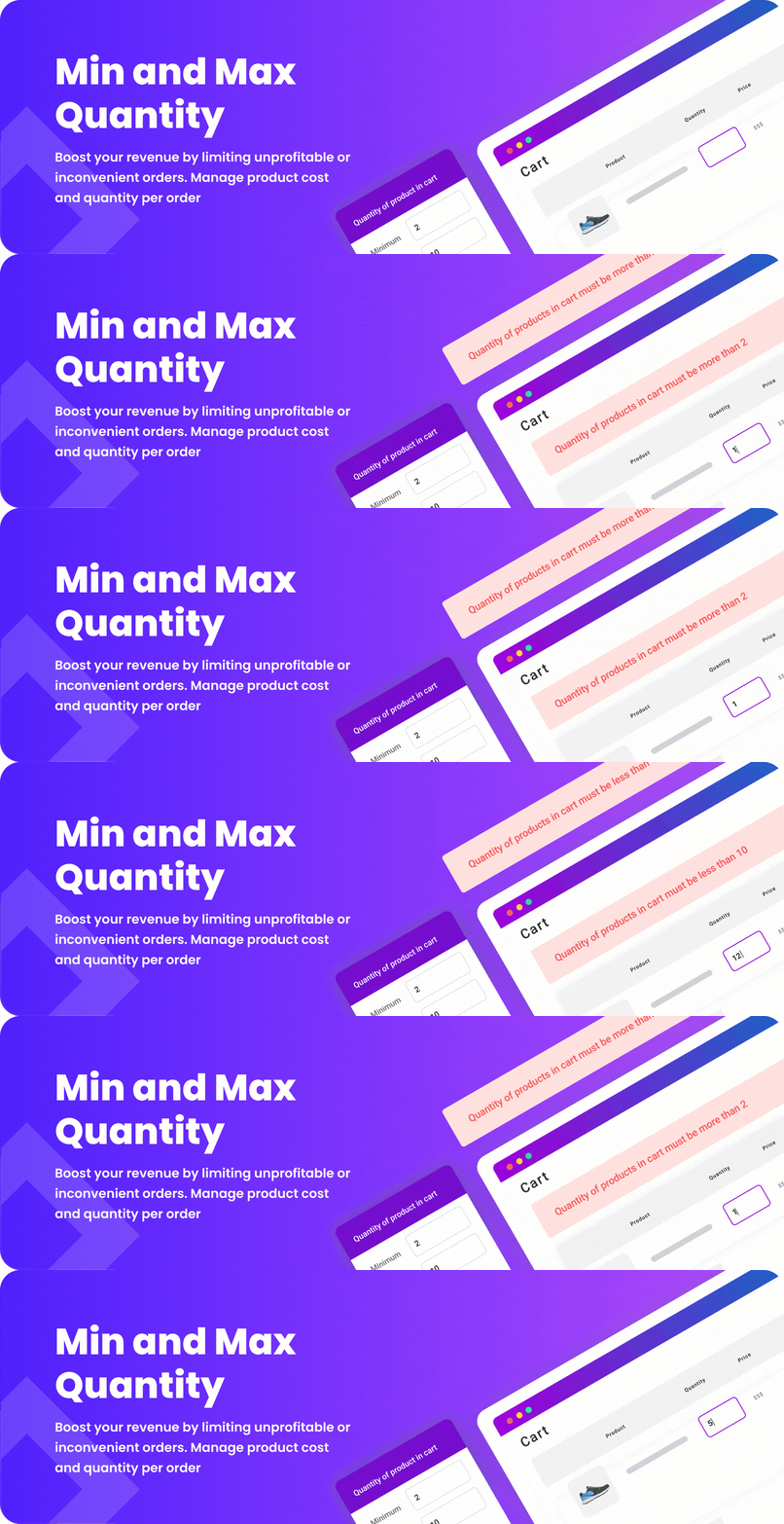
The official one. Clean. Stable. No flashy extras. But rock solid.
Set minimums, maximums. Do it per product. Or per category. Or even the entire cart. It’s supported by WooCommerce itself. Updates won’t break it.
Highlights:
- Reliable.
- Simple rules.
- Lightweight.
- Official support.
Good for shops that don’t want fuss. Just rules. Done.
- WooCommerce Quantity Manager – Barn2 Plugins
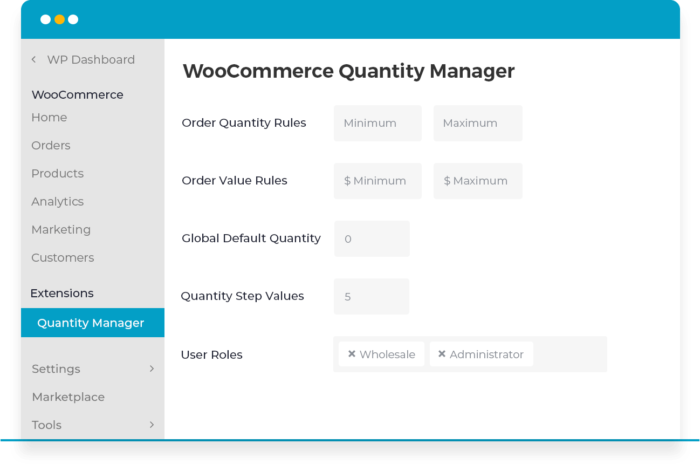
This one’s heavy-duty. For stores with tricky setups. Variable products. Complex categories. Wholesale madness.
It lets you control everything. Products, variations, totals. Even order totals. Very flexible.
Highlights:
- Works on variations.
- Step multiples.
- Min/max everywhere.
- Advanced rules.
Imagine a clothing shop. Small, medium, and large sizes. Each with its own limits. No problem. This plugin can handle it.
- WooCommerce Advanced Product Quantities – By Plugin Republic

This one’s slick. Why? Dropdowns. Only valid numbers appear. So if you sell in 3s, buyers won’t even see “2” as an option. Brilliant.
Highlights:
- Dynamic dropdowns.
- Per-product or global rules.
- Simple setup.
- Clear cart messages.
Perfect for reducing cart errors. Less “Oops, wrong number.” More “Oh, that’s easy.”
- Min Max Quantities & Step Control for WooCommerce
Small but mighty. Global and product-level controls. Clean messages. Nice for shops that need the basics.
Highlights:
- Cart + product notices.
- Step multiples.
- Exclusions.
- Simple interface.
If you want straightforward rules without drowning in settings, this works.
- Min Max Step Quantity Limits Manager for WooCommerce
This one’s for advanced users. It even lets you restrict based on user roles. Like wholesale buyers vs. retail.
Highlights:
- Role-based limits.
- Category + product + cart rules.
- Step multiples.
- Cart totals.
Great for shops that serve both normal customers and wholesalers. Different rules for each.
- WooCommerce Advanced Product Quantity – Addify
Keeps it simple. Product-based limits. Step controls. Clear alerts.
Highlights:
- Per-product rules.
- Dropdown or input.
- Step multiples.
- Cart page messages.
Think medium-sized shops. Enough flexibility, not too complex.
Choosing the Right Plugin
So, which one? Depends.
- Need simplicity? Go official.
- Need bulk/wholesale? Go for Addify’s.
- Need clean alerts? Motif Creatives.
- Need dropdowns with no mistakes? Plugin Republic.
- Need complex rules? WP Wham.
Match your business. Don’t overcomplicate.
Tips for Using Quantity Limits Without Annoying Buyers
Rules help. But too many? Buyers leave. Balance matters.
- Show rules clearly. On the product page. Don’t hide.
- Explain why. “Sold in sets of 6 for freshness.” Customers understand.
- Test mobile. Most people shop on phones. Make sure dropdowns work.
- Don’t lock too hard. Flexibility wins.
- Keep updating. WooCommerce changes fast. Stay safe.
Little things make a big difference.
Future: Smarter Limits Ahead
2025 is just the start. Plugins are no longer just gatekeepers. They’re evolving into assistants. Helpers. Silent managers who think ahead.
AI-driven rules? They’re closer than you think. Imagine a system that looks at patterns. It notices that one user always tries to hoard items during sales. The plugin quietly sets stricter limits for that user. Another customer? Loyal. Always fair. The system rewards them. Higher max limit. Personalized rules, invisible but fair.
Shipping will also get smarter. Why let customers buy seven bottles if shipping boxes only fit 6 or 12? Future plugins will talk to shipping logic. They’ll auto-suggest, “Order 12—it fits perfectly, same shipping fee.” Customers win. Stores save.
Dynamic pricing may merge, too. Buy more, unlock better limits. Bulk buyers get nudged gently into bigger orders. No hard sell. Just intelligent limits that look like offers.
And notifications? They’ll become less “error messages” and more like nudges—a chatbot-style notice: “Oops, you picked 3. Boxes come in 6. Want to try six instead? We’ll ship it faster.” Smooth. Human.
So, the future isn’t just restriction. It’s personalization. Balance. A middle path where stores don’t lose control and customers don’t feel forced.
Limits that don’t feel like limits. That’s the direction.
Conclusion
Quantity limits sound boring. But they’re powerful. They save profits. Protect stock. Keep things fair. And they make the buying process smoother.
You’ve seen the options. Some simple. Some complex. Some wholesale-ready. Pick one that fits your store. Not too heavy. Not too strict.
Because at the end of the day, it’s not just about numbers. It’s about experience—a store that feels easy, but smart. And with the right WooCommerce Quantity Limits plugin, you get exactly that.